As a network or systems manager in an MSP, you’re responsible for maintaining the quality and availability of your customers’ networks, as per the terms of your SLA. Your customers depend on you to keep their network running smoothly and without interruption. In most cases, they don’t have the internal staff who can manage the sophisticated networks and applications they require – and your organization is a vital, trusted partner for them.
We understand you have a number of points to weigh and consider in the selection of a network management platform. You need a solution that provides complete visibility and control of your customers’ network and application infrastructure. The service quality you’re able to deliver depends on it - not just for one customer only, but a scaled solution for all. You need the right toolset to deliver a high level of service, gain references, and grow your business - one that offers comprehensive coverage, powerful reporting and proactive assurance capabilities. You need to differentiate your service offerings from your competitors – and hence need enough flexibility to be able to incorporate your best practices into the mix. Make sense to you? Then your search for an infrastructure management solution has ended.
WhatsUp Gold MSP Edition: Your Partner in Delivering Service Excellence
WhatsUp Gold MSP Edition is the right solution for Managed Service Providers who want to deliver high quality network, systems and application management to their end customers. It has the maturity, flexibility, automation and reporting capabilities required to manage multiple customers simultaneously, while maintain the security and privacy of their infrastructure and data. Proven in over 100,000 networks around the world, WhatsUp Gold covers diverse technologies, infrastructure devices, systems and applications, all in an affordable package. With WhatsUp Gold on your team, you can be assured you have what you need to grow your business profitably over the long term.
WhatsUpGold MSP Edition provides you with:
|
MSP Infrastructure Challenge
|
WhatsUp Gold Solution
|
|
Delivering service excellence
|
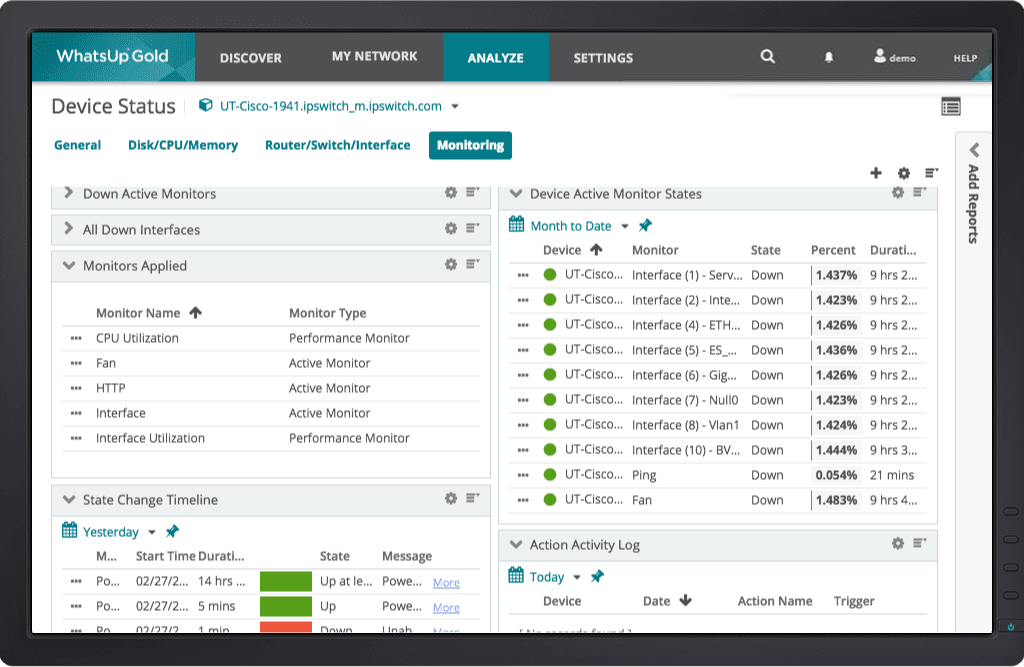
WhatsUp Gold provides immediate alerts whenever an issue arises, whether it’s a performance threshold being breached or a hard downtime or failure. The earlier you know what is going on, the faster you can take action and resolve the issue – even before your customers are affected.
|
|
Secure management of multiple client networks
|
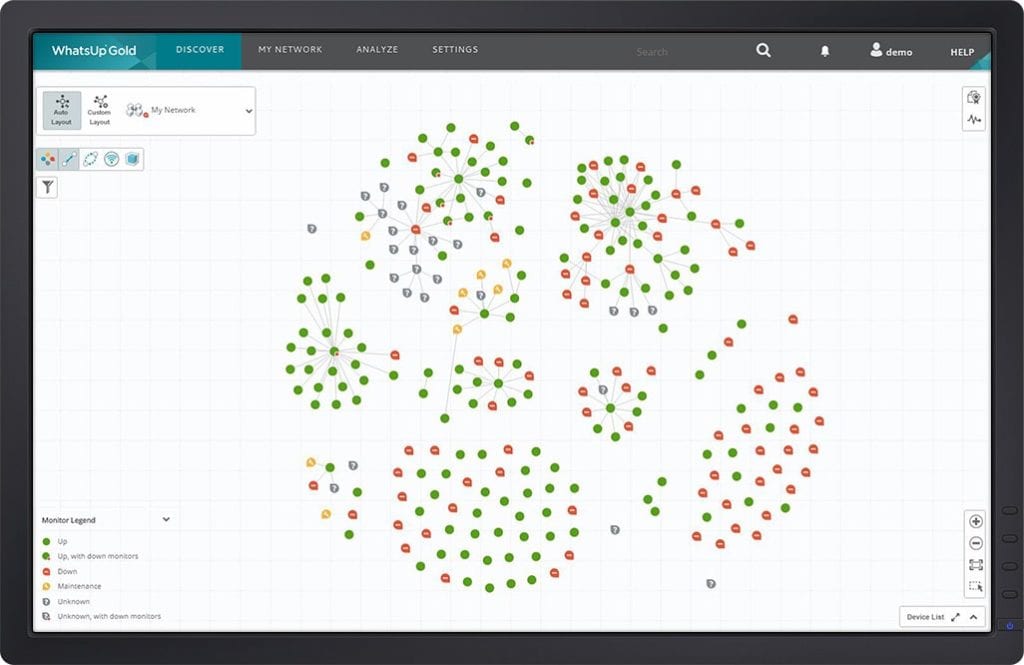
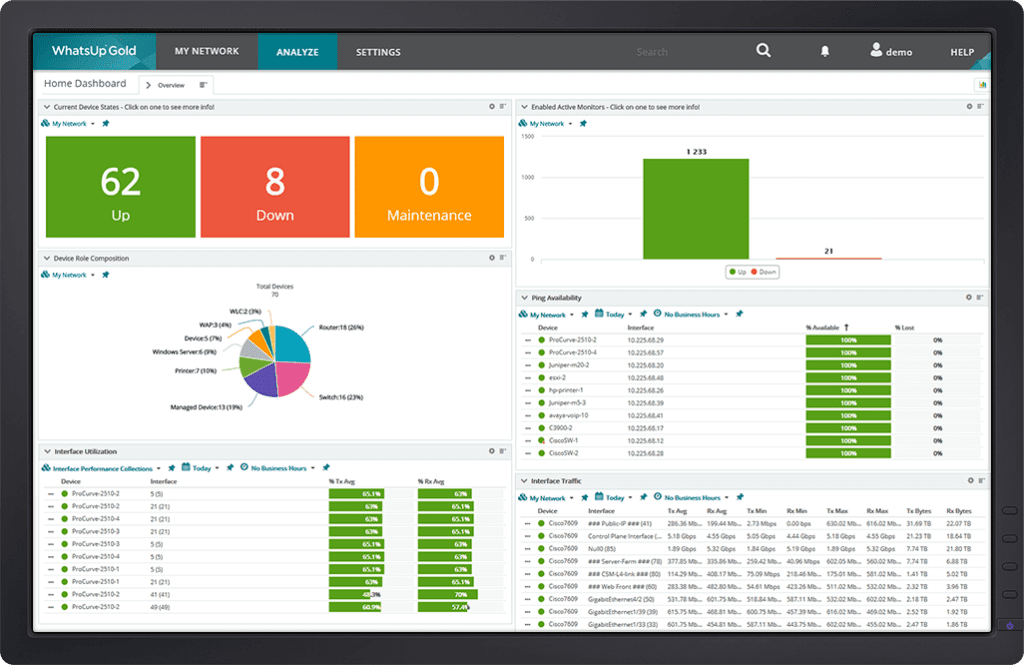
WhatsUp Gold establishes a centralized network operations center (NOC), outfitted with a secure dashboard display that clearly maps out the network assets of each and every client. Each client network is securely and separately managed.
|
|
Increased revenue and profitability
|
WhatsUp Gold offers exceptional value and comprehensive capabilities without an inflated price tag. MSPs can charge clients fair value with attractive margins.
|
|
Support for diverse monitoring requirements
|
WhatsUp Gold’s flexible deployment models ensure that MSPs can monitor from simple to complex customer environments including multiple kinds of networks, systems and applications.
|
|
Scalability to support growing number of clients
|
WhatsUp Gold's scalable architecture can handle a virtually unlimited number of locations, infrastructure components and users ensuring that your management capabilities grow with your business.
|
The Value of Investing in WhatsUp Gold
In fact as an MSP, your customers probably expect you to not only manage their network infrastructure but also add value to their business and IT strategy. WhatsUp Gold’s vibrant community of users, practitioners and MSP’s is the perfect forum to validate and learn about how you can help your customer’s business and become an essential part of their business.
Download WhatsUp Gold MSP Edition today
Delivering the Features and Margins MSPs Need
WhatsUp Gold MSP Edition provides a complete solution for MSPs to monitor any number of customer networks from a single central site. IP services, Unix/Linux and Windows server infrastructure, firewalls, routers and WANs are monitored from a single secure console.
In addition to pro-active monitoring of their customer networks, WhatsUp Gold MSP Edition provides built-in reporting that demonstrates the performance of a customers' IT infrastructure from a business perspective; including SLA levels, critical systems and of course the physical network. MSPs can leverage comprehensive reporting capabilities to create reports that depict the impact their services has on their customer's critical business infrastructure.
WhatsUp Gold MSP Edition enables MSPs to offer competitively priced services that are differentiated by their quality and responsiveness. WhatsUp Gold is a cost-effective, technology-agnostic system that provides superior real-time monitoring and alert capabilities, helping MSPs increase profitability, visibility and maintain strong customer relations.
Built on the award-winning WhatsUp Gold core architecture, Ipswitch WhatsUp Gold MSP Edition offers managed service providers a flexible solution that enables them to reliably - and profitably - manage complex client network environments. Whether clients are running network infrastructure devices, VPNs, security devices like authentication servers and VPNs, or Windows-based servers, WhatsUp Gold MSP Edition helps MSPs to proactively monitor all of these devices out of the box, and reduce network downtime and performance problems for their clients.
Flexible Deployment Models Fit Unique Customer Needs
There is no limit to how many customer networks can be managed from your NOC and WhatsUp Gold MSP Edition offers three deployment options to ensure optimal monitoring of your customer networks based upon connectivity between your NOC and each customer site.
Distributed Deployment:

Centralized Deployment

Hybrid Deployment

|
WhatsUp Gold MSP Edition Highlights
|
Key Benefits
|
|
Unified real-time management and monitoring platform
|
- Scalable architecture allows for monitoring of unlimited customer sites from a single NOC
- Hands-free monitoring with no requirement for probes or login script based agents
- Support more customer networks without additional staff
|
|
Discovery and Mapping
|
- Get an accurate picture of your customer networks with comprehensive discovery and mapping
- Locate the problem quicker with drill-down views to individual devices
|
|
SNMPv1-3 support
|
- IETF standards based implementation ensures interoperability with every SNMP enabled device and system on the network
- SNMPv3 provides highest possible security versus SNMPv1-2 unencrypted communications
|
|
WMI Support
|
- Easy to configure and manage WMI based monitoring for servers and applications
- Predefined templates simplify deployment of WMI monitors
|
|
Application Monitoring
|
- Monitor application performance at no extra cost including database and email
|
|
Split-Second Graphs
|
- Displays real-time status data for devices and interfaces
- Uncovers intermittent issues that may not be captured during normal polling intervals
|
|
Mobile Access
|
- Support customers even if you're not in the NOC
- Access critical device information and status from your web-enabled mobile phone or PDA
|
|
Secure views of all client networks
|
- Graphs and maps all devices for each client network in an integrated, icon-based secure dashboard that makes it simple to view multiple networks at once
- WhatsUp Dashboard Manager provides a roll-up display of all networks under management on a single or group of screens
|
|
200+ Configurable Reports
|
- Integrated reporting includes in-depth information on all aspects of network performance, availability and status for all customer networks monitored
- Gather and analyze data from individual or cumulative client locations
|
|
Service Level Agreement (SLA) Reporting
|
- Prove compliance for contracted network SLA availability goals
- Quarterly reports are configurable for each customer
|
|
Customized Monitoring
|
- Powerful VB and Jscript scripting capabilities provide the ability to create unique monitors to meet specific customer needs
|
|
Alerts and Notifications
|
- MSP personnel are alerted to important changes of state through any of a number of notification mechanisms including; email, SMS, text, audible, and visual alerts
- Eliminates alert floods with configurable device dependencies allowing MSP personnel to more quickly diagnose a failure
|
|
Simple Licensing and Pricing
|
- Straight forward per monitored device license and pricing model
|
WhatsUp Gold MSP Edition lets you offer competitively priced services that are differentiated by superior quality and responsiveness. WhatsUp Gold is a cost-effective, technology-agnostic solution that provides unparalleled real-time monitoring and alert capabilities, helping MSPs like you increase profitability, visibility as well as building and maintaining strong customer relations.
Download WhatsUp Gold MSP Edition today
How does MSP Edition licensing work?
The deployment model used will dictate the licensing requirements.
For remote monitoring, the licensing of MSP Edition is a subscription license. Both the central and remote installations are annual subscription licenses. For example, if there are 10 customer sites with 50 devices at each remote site this would require 10 remote installations of 50 devices at each customer site and a central installation of 25 devices at the MSP NOC.
For central monitoring, the central license is a subscription and is based upon the sum of the number of devices to be monitored. For example, if there are a total of 1,000 devices to be monitored across 10 customer sites then a 1,000 device Central subscription license is required to be installed at the MSP NOC.
For hybrid monitoring, the central license is a subscription and a combination of remote installations with subscription licenses. For example, MSP has 10 customers, 5 with dedicated connectivity (100 devices at each site) and 5 with non-dedicated connectivity (50 devices at each site). The central MSP NOC installation would require a 500 device subscription license to monitor those customer sites with dedicated connectivity and 5 remote installations with 50 device subscription licenses.
What does subscription license mean?
A subscription license is a license that is renewable on an annual basis. The MSP Central and Remote licenses are subscription based and must be renewed yearly by the expiration date in order to avoid the software being disabled. The subscription includes one year of upgrades and technical support. The subscription will need to be renewed yearly in order to maintain technical support coverage for both the Central and Remote licenses.
Can remote subscription licenses be co-terminated?
Depending on when they were purchased, some remote subscription licenses will be renewable on different dates. To simplify the renewal invoicing and payment of multiple remote subscription licenses, Ipswitch offer MSPs the ability to have each remote subscription license terminate on the same date. Each remote subscription license is brought up to the renewal date of the last remote subscription license purchased based upon the number of months required to co-terminate each license simultaneously. Co-termination renewals can be purchased on a monthly basis.
For example, an MSP has 5 remote licenses, 3 terminate on the same date and 2 terminate 6 months later. The MSP would purchase 18 months of subscriptions (3 licenses x 6 months) to bring all the renewals of the annual subscriptions to the same termination date.
Are there monthly or quarterly subscriptions available for central or remote licenses?
Central and remote licenses are only available as a yearly subscription.
Can I reassign a remote license to another customer?
A remote license can be reassigned to another customer. To reassign a license requires the MSP contacting WhatsUp Gold customer service to assist with the reassignment.
Is there an upgrade path from one device level to another if we use the Central Monitoring model?
MSPs that add customers or customers who add new devices to their networks and as a result the number of devices now exceeds the licensed device level the MSP originally licensed can be upgraded to a higher device level. Simply contact the WhatsUp Gold Sales team to purchase a device level upgrade.
Is there an upgrade path from one device level to another for those MSPs who are using either the remote or hybrid deployment models?
MSP customers who add new devices to their networks and as a result the number of devices now exceeds the licensed device level for each remote can be upgraded to a higher device level for each impacted remote installation. Simply contact the WhatsUp Gold Sales team to purchase a device level upgrade for each MSP Edition remote.
How can I purchase WhatsUp Gold MSP Edition?
Domestic and Canada
WhatsUp Gold MSP Edition for US and Canada can only be purchased directly through the WhatsUp Gold Channel Sales Team. For contact information contact the WhatsUp Gold Sales team.
International
WhatsUp Gold MSP Edition for International can be purchased through a reseller or distribution. Locate one nearest you
You may also contact the International Sales Team via email at:
Europe, Middle East, or Africa, please contact NMeurosales@whatsupgoldmail.com
For all other International Regions, please contact NMInternationalsales@whatsupgoldmail.com
How can we deploy WhatsUp Gold MSP edition?
WhatsUp Gold MSP edition provides several deployment models to meet your and your client's needs.
Remote Monitoring: In cases where connectivity between your site and customer site is non-dedicated or is unreliable, MSP Edition can be deployed with Remote MSP client installations at each customer site and MSP Central in your NOC.
Central Monitoring: MSPs that have dedicated VPN connectivity to each customer site can deploy MSP Central in their NOC and monitor each customer site from the central installation.
Hybrid Monitoring: This is a combination of both the remote monitoring and central monitoring models where some of the connectivity to customer sites is dedicated and non-dedicated.
How does the MSP central installation receive monitoring data?
Each deployment model is different in how monitoring data is received by the MSP central installation.
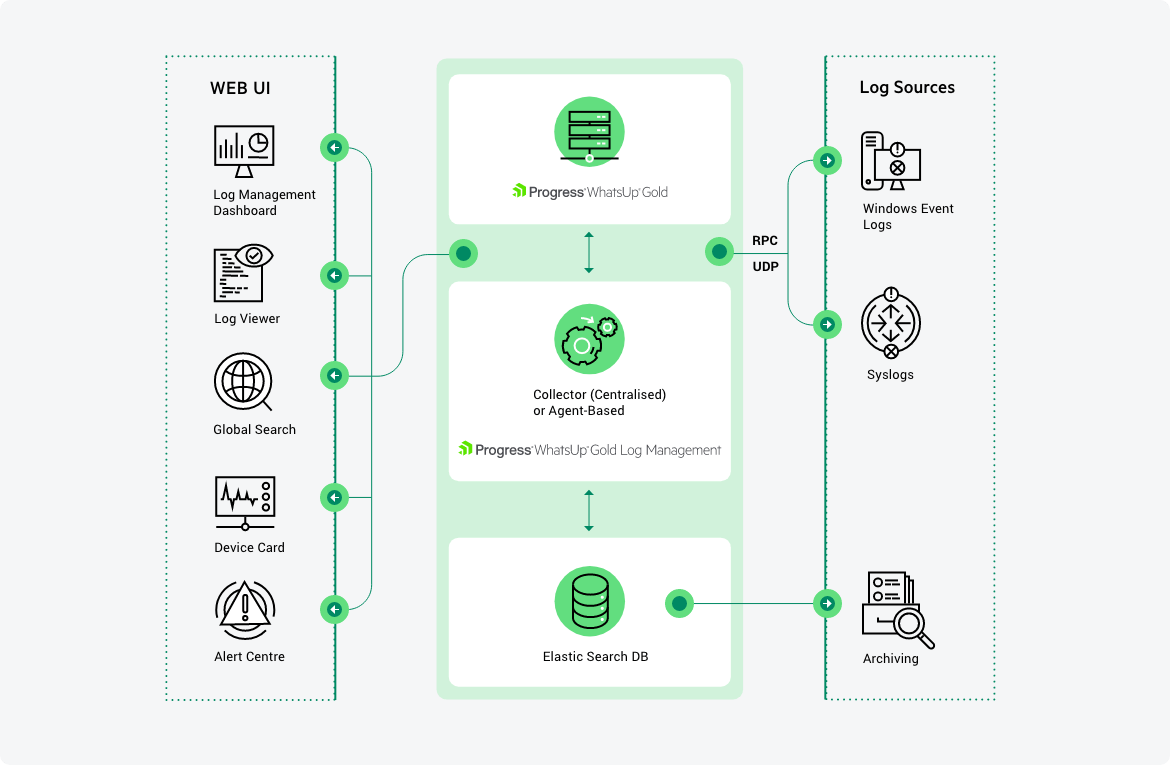
In the case of remote installations where there is a non-dedicated connection to each remote customer site, monitoring is local to each remote site. Only when a change in status occurs (failure or monitored threshold is exceeded) or summarized updates are sent from each remotely monitored site to central. Security is enforced by requiring each remote site to use an ID and password to validate itself to the central installation in the MSP NOC.
For centralized monitoring with dedicated connectivity, monitoring is continuous and data is continuously passed back and forth between each device monitored and the MSP NOC.
With hybrid monitoring, both of the models detailed above apply.
What does the console show?
With flexible display options, the WhatsUp Gold management console can be configured to display each customer site independently in its own secure workspace. MSP NOC personnel can configure maps and group devices for each customer network so that they can be viewed through Dashboard Manager.
How can I make changes to my client monitoring settings?
Depending on the monitoring model used, changes to monitoring settings can be accomplished in a number of ways.
In a centralized model, all monitor setting changes are made at the NOC for each device. For a distributed or hybrid implementations, MSP personnel must log into each remote site to change monitor settings.
Can I view all my clients on one screen?
WhatsUp Gold MSP Edition graphs and maps all devices for each client network on an integrated, icon-based dashboard that makes it easy to view multiple customer networks at the same time from a single management console.
Can I produce aggregated reports, for example, of hard drive status for servers across all sites in a single report?
Central does not have the data from all the Remotes and their monitors, so there is no single report that shows what is desired. One could create a Workspace Report with the Remote Summary report for each site and that could show the status of all the devices in all the remotes, but it shows everything, not just one monitor.
About Virtual machines
WhatsUp Gold can be installed and will operate on virtual machines powered by VMware and Microsoft Virtual Server, as long as the virtual server's resources meet that of the WhatsUp Gold system requirements.
Software requirements
- 32-bit and 64-bit support for the following OS versions: Windows 7, Windows Vista Ultimate (SP2 recommended), Windows Vista Business (SP2 recommended), Windows XP Professional SP3, Windows Server 2003 SP2 (or later), Windows Server 2008 SP2, or Windows Server 2008 R2
- 32-bit and 64-bit support for the following virtual server environments: VMWare ESXi 3.0 or later and Microsoft Hyper-V Server 2008
Important: If WhatsUp Gold is hosted on VMWare ESXi or Microsoft Hyper-V Server 2008, to avoid licensing issues, make sure that you assign a static MAC address to the virtual machine that WhatsUp Gold is operating on.
- Microsoft SQL Server 2005 Express Edition (included), SQL Server 2005 Standard or Enterprise Edition, or Microsoft SQL Server 2008 Standard or Enterprise Edition (optional)
Important: If using Microsoft SQL Server Cluster 2005, 2008, or 2008 R2, WhatsUp Gold must be configured to use a remote database. Installing WhatsUp Gold to the cluster is not supported.
Important: WhatsUp Gold does not support non-English versions of Microsoft® SQL Server® 2005 or Microsoft SQL Server 2008.
- IIS 6, IIS 7, or Ipswitch Web Server
- WhatsUp Gold Web interface, Microsoft Internet Explorer 7.0, Microsoft Internet Explorer 8.0, or Firefox 3.0
- WhatsUp Gold Mobile interface, Mobile Safari 2.2, Microsoft Internet Explorer Mobile 6.1, or Opera Mini 4.2
- Microsoft .NET Framework 3.5 (required), Microsoft .NET Framework 3.5 SP1 included in install
Important: Microsoft .NET Framework 3.5 SP1 is not compatible with Windows SharePoint Services 2.0. If you are running SharePoint Services 2.0, you should not upgrade or install WhatsUp Gold. WhatsUp Gold requires Microsoft .NET Framework 3.5 SP1 and automatically installs this package if not present on the system. For more information about the issue, see the
Microsoft Knowledge Base article.
- Microsoft Windows Scripting Host v5.7 (or later)
Note: Windows Scripting Host is installed with the Windows operating system. To verify your version, run
cscript.exe at a command prompt. If you need to update Windows Scripting Host, refer to the
Microsoft Windows Scripting Host site.
- Microsoft SAPI 5.1 (required for Text-to-Speech actions)
- WhatsVirtual plug-in supports virtual hosts and virtual machines running on VMware virtual environments including: VMware vCenter Server 4.0 and VMWare ESXi 3.5 or 4.0
Additional software requirements for WhatsUp Gold Flow Monitor
WhatsUp Gold Flow Monitor has the same base system requirements as WhatsUp Gold v14. In addition, WhatsUp Gold Flow Monitor requires:
- WhatsUp Gold v14 Standard Edition, Premium Edition, MSP Edition, or Distributed Edition
- At least one routing device that supports NetFlow versions 1, 5, and 9
- or -
At least one routing device that supports sFlow version 2 and 5
Note: WhatsUp Gold Flow Monitor performs well in most installations that use SQL Server 2005 Express. However, some large data collections, that require 4 GB of data storage or more or where data is collected and archived over a long period of time, may require 32-bit MS SQL Server 2005 Standard or Enterprise Edition, 32-bit or 64-bit Microsoft SQL Server 2008 Standard or Enterprise Edition, or 32-bit or 64-bit Microsoft SQL Server Cluster 2005, 2008, or 2008 R2 (all editions except Microsoft SQL Server Express edition).
Hardware requirements
|
|
Recommended
|
Required
|
|
Processor(s)
|
WhatsUp Gold: Dual-core
Flow Monitor: Quad-core
|
WhatsUp Gold: Single-core
Flow Monitor: Dual-core
|
|
Processor Speed
|
2 GHz or more
|
2 GHz
|
|
RAM
|
WhatsUp Gold: 4 GB
Flow Monitor: +4 GB
|
WhatsUp Gold: 2 GB
Flow Monitor: +2 GB
|
|
Hard drive space for application, SQL Server Express Edition dbase application, and supporting framework
|
3 GB
|
2 GB
|
|
Hard drive space for dbase and dbase logs
|
WhatsUp Gold: 8 GB
or more Flow Monitor: +16 GB or more
|
WhatsUp Gold: 4 GB
Flow Monitor: +8 GB
|
|
Network interface card
|
1 Gbps
|
100 Mbps
|
|
CD-ROM or DVD-ROM
|
Required if installing from CD-ROM. Not required for download installations.
|
Required if installing from CD-ROM. Not required for download installations.
|
|
Video display resolution
|
1280 x 1024 or higher
|
1024 x 768
|
|
Sound card
|
SAPI-capable sound card required for Text-to-Speech actions
|
Not required
|
|
Modem and phone line
|
Required for pager, SMS, and beeper actions; modem pooling is not supported
|
Not required
|
|
GSM modem
|
Required for SMS Direct actions
|
Not required
|
Note: The WhatsConnected, WhatsConfigured, and VoIP Monitor plug-in system requirements are the same as the WhatsUp Gold requirements. Additionally, the VoIP Monitor requires Cisco IP-SLA compatible devices.
Note: WhatsUp Gold can be installed and will operate on virtual machines powered by 32-bit or 64-bit VMware ESXi 3.0 or later and Microsoft Hyper-V Server 2008, as long as the virtual server's guest OS resources meet that of the WhatsUp Gold system requirements.
Datasheets
Presentations
Webinars
White Papers
Best Practices