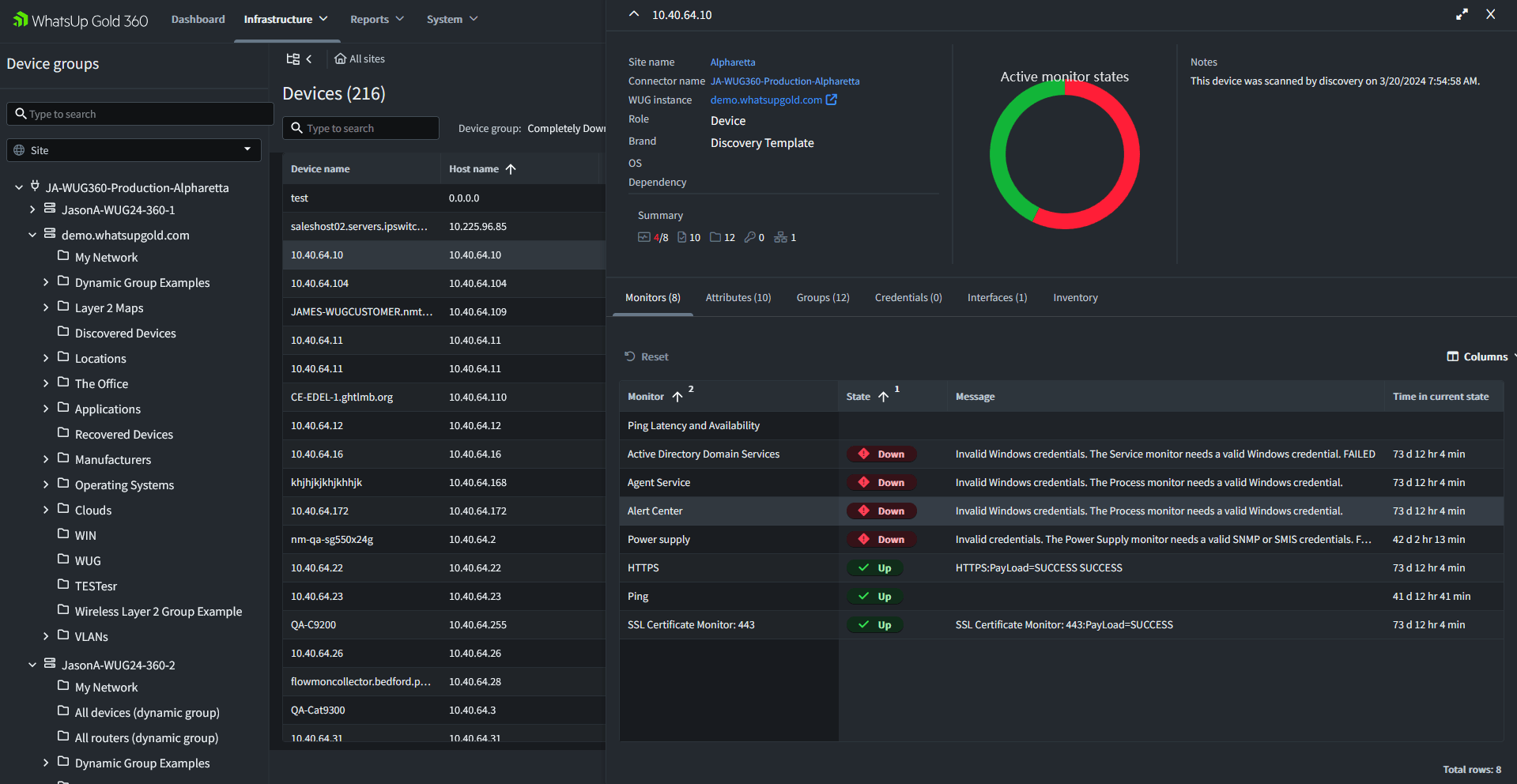
Gain a unified view of network health, device status, inventory and operational insights across distributed environments from one cloud-accessible portal.
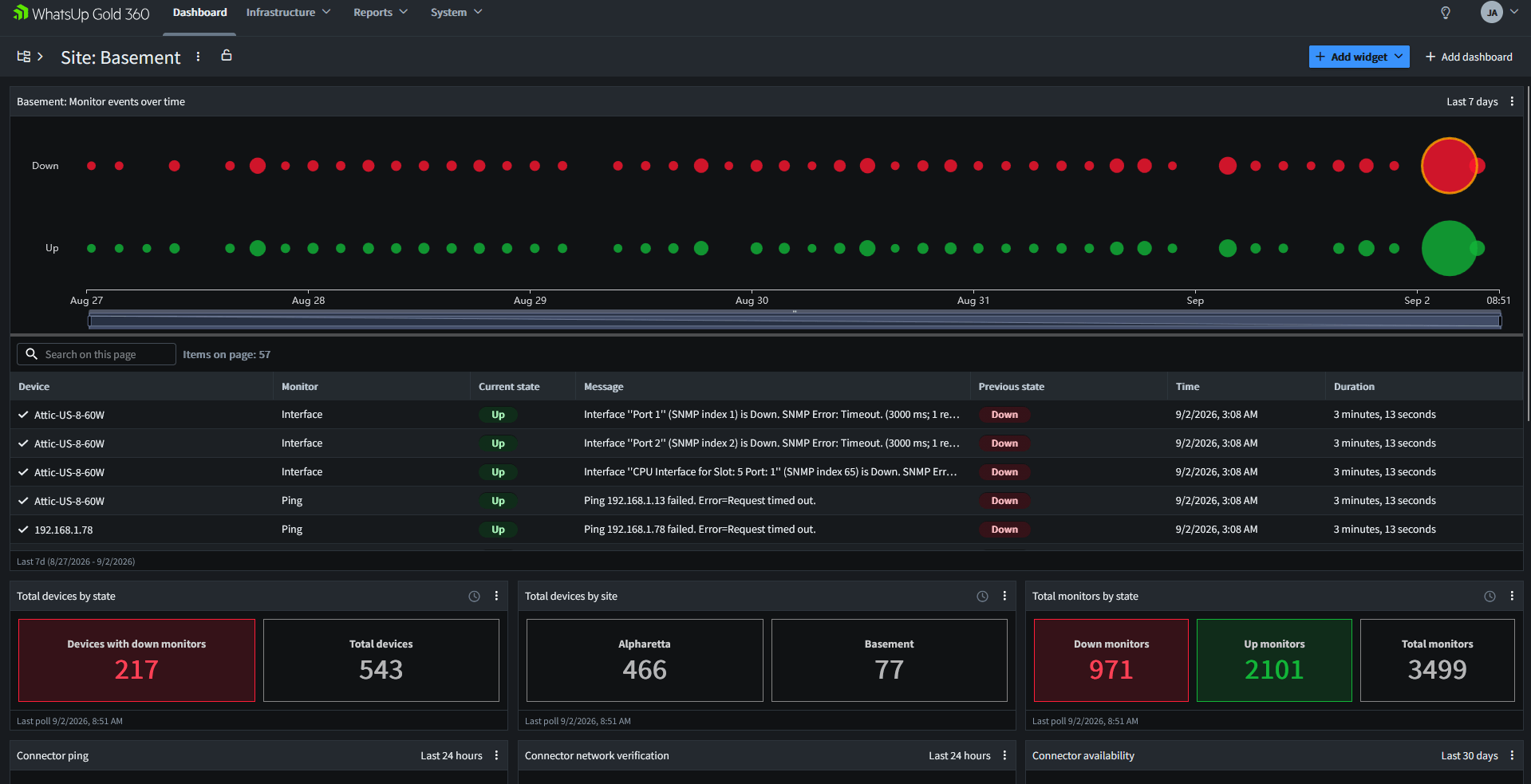
As organisations grow across locations, business units and cloud environments, monitoring can become fragmented across multiple consoles, VPN connections, credentials and reports. When issues arise, teams often spend valuable time gathering information before they can begin troubleshooting. A centralized approach helps administrators gain a consistent operational view of their infrastructure, making it easier to identify problems, understand network health and respond before outages impact users or business operations.
Managing distributed infrastructure through independent monitoring tools may provide visibility into individual locations or environments. However, operations teams still need to move between interfaces and manually correlate information to build a complete picture. This increases administrative effort and can slow incident response. A problem affecting several locations may appear as a series of unrelated alerts, while reporting often requires data to be manually collected and consolidated.
Centralized network monitoring brings device, inventory, status and reporting information together in a single operational view. Instead of treating each environment as a separate monitoring island, teams can review distributed infrastructure from one place. Monitoring data from multiple environments is securely synchronised into a cloud-accessible portal, creating a consolidated view of network operations without requiring local monitoring systems to be directly exposed to the internet.
That distinction matters most when rapid decisions are required. During an outage, operations teams cannot afford to spend valuable time switching between consoles and manually correlating data. A centralized view provides immediate visibility into device status, inventory and network health across distributed environments, helping teams understand the scope of an issue and respond more efficiently.
When a local monitoring server, site or management console becomes unavailable, operational teams can still access the most recently synchronized monitoring data through the cloud portal. This provides continued visibility into device inventory, status and historical monitoring information during disaster recovery scenarios, helping teams understand the scope of an incident and coordinate recovery efforts even when local management systems are offline.
Centralized visibility gives teams a consistent way to review monitored devices, inventory, status and reports across distributed environments. Rather than assembling information from separate systems, administrators can work from a consolidated operational view.
When teams can see status across environments in one place, they can more quickly determine where an issue is occurring and which devices require attention. This reduces the effort involved in moving between consoles before troubleshooting can begin.
Remote access solutions can extend access to monitoring systems, but they may also introduce additional VPN connections, credentials and administrative overhead. A secure cloud-accessible view gives authorized teams access to supported monitoring information without requiring local consoles to be directly exposed to the internet.
When monitoring data is distributed across independent deployments, reporting and analysis may require manual consolidation. Centralized visibility makes supported device, inventory, status and reporting information available through one portal, helping teams create a more consistent view of network operations.
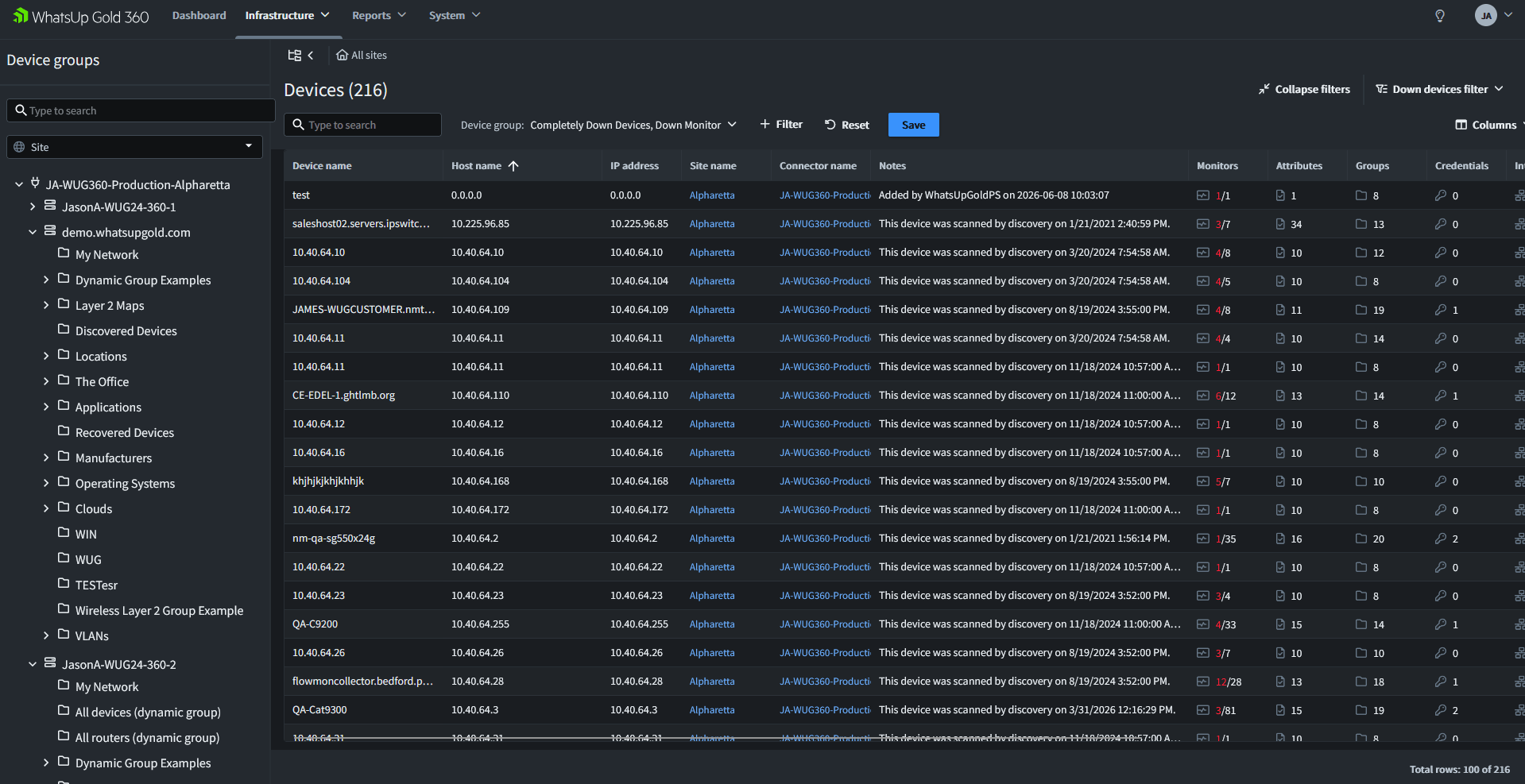
Consider an organization with offices, production environments, security zones and regional infrastructure. As the network grows, the IT team must monitor a wider range of switches, routers, wireless access points, firewalls, virtual systems, services, applications and cloud resources.
Different locations or operational environments may be monitored independently. Each system can provide useful local information, but administrators must move between interfaces, credentials and reports to understand overall network health.
By bringing monitoring data together in a single cloud-accessible view, operations teams gain visibility across devices, inventory, status and reports without switching between multiple consoles. This allows administrators to spend less time gathering information and more time identifying, troubleshooting and resolving issues.
Centralized network visibility brings supported monitoring information from distributed environments into one operational view. Teams can review device status, inventory and reports without moving between multiple monitoring consoles.
This visibility becomes especially important as infrastructure grows. Adding locations, networks or operational environments should not require administrators to build an overall picture manually every time they investigate an issue or prepare a report.
Review supported device and monitoring-status information across connected Progress® WhatsUp® Gold environments from a single cloud-accessible portal. This gives teams a clearer starting point for identifying which parts of the network require attention. .
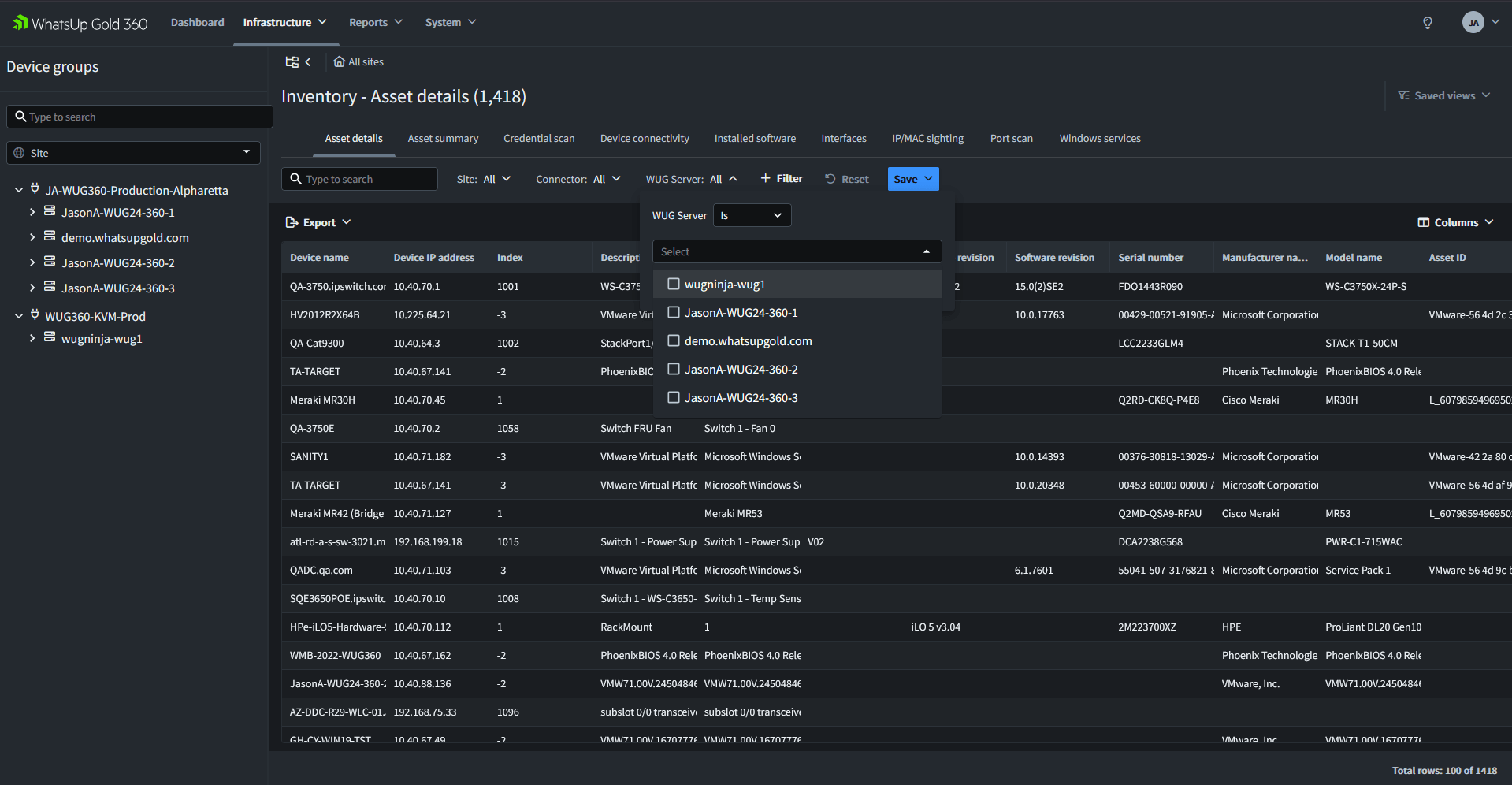
Bring supported inventory information from connected monitoring environments into one view. Administrators can gain broader visibility across distributed infrastructure without checking each local deployment separately.
Access supported reporting information through the cloud portal, reducing the need to gather and compare reports manually across multiple monitoring environments.
Access the centralized operational view from the cloud without requiring direct internet access to on-premises WhatsUp Gold monitoring systems.
Organizations can use the centralized portal with one or more WhatsUp Gold servers. This supports teams that begin with a single monitoring environment as well as organizations that need consolidated visibility across multiple deployments.
Planned capabilities will extend centralized visibility with the ability to manage on-premises WhatsUp Gold environments from the cloud, including viewing status, making changes and controlling multiple systems through a single interface.
Planned centralized alerting capabilities will help teams focus on relevant events and maintain a more proactive, streamlined approach to monitoring distributed environments.
The WhatsUp Gold solution is designed to monitor a broad range of connected infrastructure, including physical and virtual systems, switches, routers, wireless access points, firewalls, cloud resources, services and applications.
The WhatsUp Gold platform helps network and systems administrators monitor the connected infrastructure they are responsible for, including physical and virtual systems, network devices, wireless infrastructure, firewalls, cloud resources, services and applications. Combined with network performance visibility and threat detection capabilities, teams can gain a broader view of network health, quickly identify issues and respond faster to disruptions.
Rather than relying on disconnected tools or manually comparing information from different environments, teams can establish a more consistent view of network health, device status and inventory.
The WhatsUp Gold solution brings monitoring data from connected environments together in a single cloud-accessible portal, providing one view of devices, inventory, status and reports. This allows teams to investigate issues faster without manually piecing together information from multiple monitoring consoles.
A cloud-accessible operational view allows teams to review supported monitoring information without requiring the local WhatsUp Gold consoles to be directly exposed to the internet.
Centralized visibility reduces the need to navigate separate interfaces, VPN connections, credentials and reports just to understand conditions across the organization. Teams can spend less time gathering information and more time investigating the issues that affect users and services.
The planned evolution of the WhatsUp Gold 360 platform includes centralized management, smart alerting and incident-management capabilities, extending the portal beyond consolidated visibility into a broader cloud-based operational layer.
| Capability | Separate Monitoring Environments | Centralized Network Visibility |
|---|---|---|
| Local network monitoring | Provides visibility into an individual environment | Uses WhatsUp Gold monitoring for each connected environment |
| Organisation-wide device visibility | Requires teams to check separate systems | Consolidates device information in one portal |
| Status comparison | Information is reviewed in different consoles | Status information is available in one operational view |
| Inventory visibility | Inventory is maintained within individual environments | Inventory information is brought together centrally |
| Reporting | Reports may need to be gathered and consolidated manually | Reports are accessible through the central portal |
| Remote access | May require separate VPNs, credentials or exposed monitoring systems | Provides cloud access without requiring direct internet access to local consoles |
| Operational workflow | Teams switch between tools before correlating information | Teams begin from a consolidated view of connected environments |
| Ability to scale across locations | Each additional environment adds another interface to manage | One or more WhatsUp Gold servers can be connected to the cloud portal |
Separate monitoring environments are not inherently ineffective. They can provide detailed visibility into individual networks. The challenge arises when teams need to understand overall health across the organisation. Centralized visibility preserves local monitoring while giving operations teams a consolidated place to review supported device, inventory, status and reporting information.
Every network is different, but the need for clear operational visibility is consistent. Begin by identifying the infrastructure, services and locations that are most important to your organization, then establish the monitoring coverage needed to understand their health and availability.
Start with the network devices, systems, services and applications that have the greatest impact on users and business operations. This may include switches, routers, wireless access points, firewalls, physical and virtual systems, cloud resources and the services that depend on them.
Deploy the WhatsUp Gold solution to discover and monitor the infrastructure within each relevant network environment. The goal is to build a reliable operational view of device health and status so administrators can detect and investigate problems before they have a wider impact.
Where an organisation operates more than one WhatsUp Gold environment, connect supported deployments to the WhatsUp Gold 360 platform. Monitoring data from the connected environments is securely synchronised to the cloud portal, giving teams centralized access without requiring direct internet access to the local monitoring consoles.
Use the central portal to review supported information across connected environments. This reduces the need to switch between consoles or manually consolidate operational information when evaluating overall network health.
Organisations can begin with one WhatsUp Gold monitoring environment and extend centralized visibility as additional locations or environments are added. This provides a path from comprehensive local network monitoring to a unified operational view across distributed infrastructure.
Complete the form and our team will contact you to schedule a personalised demo.