
Migration Is More Than a Tool Swap
Monitoring platforms rarely become complex overnight. In many Nagios XI environments, complexity builds gradually through years of useful customizations, custom plugins, one-off fixes, and undocumented operational knowledge. Each addition may have solved a real problem at the time, but over the years the result can become difficult to maintain, explain, and hand over to new administrators.
A migration to WhatsUp Gold is therefore not just a platform replacement. It is an opportunity to step back and ask what the monitoring environment should look like today. Which checks still provide value? Which alerts create action, and which only create noise? Which dashboards help teams make decisions, and which simply display inherited status information?
The goal is not to recreate every Nagios XI object exactly as it exists now. The goal is to preserve the visibility that matters, remove technical debt where possible, and rebuild monitoring around a cleaner operating model. This guide walks through a practical migration approach from Nagios XI to WhatsUp Gold, including what to inventory, what to redesign, what to validate, and where teams commonly run into trouble.
Why Teams Consider Moving from Nagios XI to WhatsUp Gold
Where Nagios XI Can Become Hard to Maintain
Nagios XI is flexible and powerful, especially in environments with strong Linux and scripting skills. The challenge is that flexibility often creates long-term operational overhead. Teams typically start considering migration when they see patterns such as:
- Large numbers of custom plugins requiring maintenance
- Complex alert dependencies and escalation paths
- Difficulty onboarding new administrators
- Limited built-in network visualization compared with more network-centric tools
- Heavy reliance on Linux and scripting expertise
- Monitoring designs that have evolved over many years without standardization
What WhatsUp Gold Changes Operationally
WhatsUp Gold takes a more network-centric and operations-friendly approach. Instead of relying primarily on hand-built checks and custom logic, it emphasizes discovery, device templates, topology awareness, dashboards, and simpler day-to-day administration. In practice, this can help teams improve:
- Device discovery and inventory accuracy
- Device templates monitoring consistency
- Topology visibility and network context
- Alert management and operational response
- Dashboards and NOC visibility
- Deployment speed and day-to-day administration effort
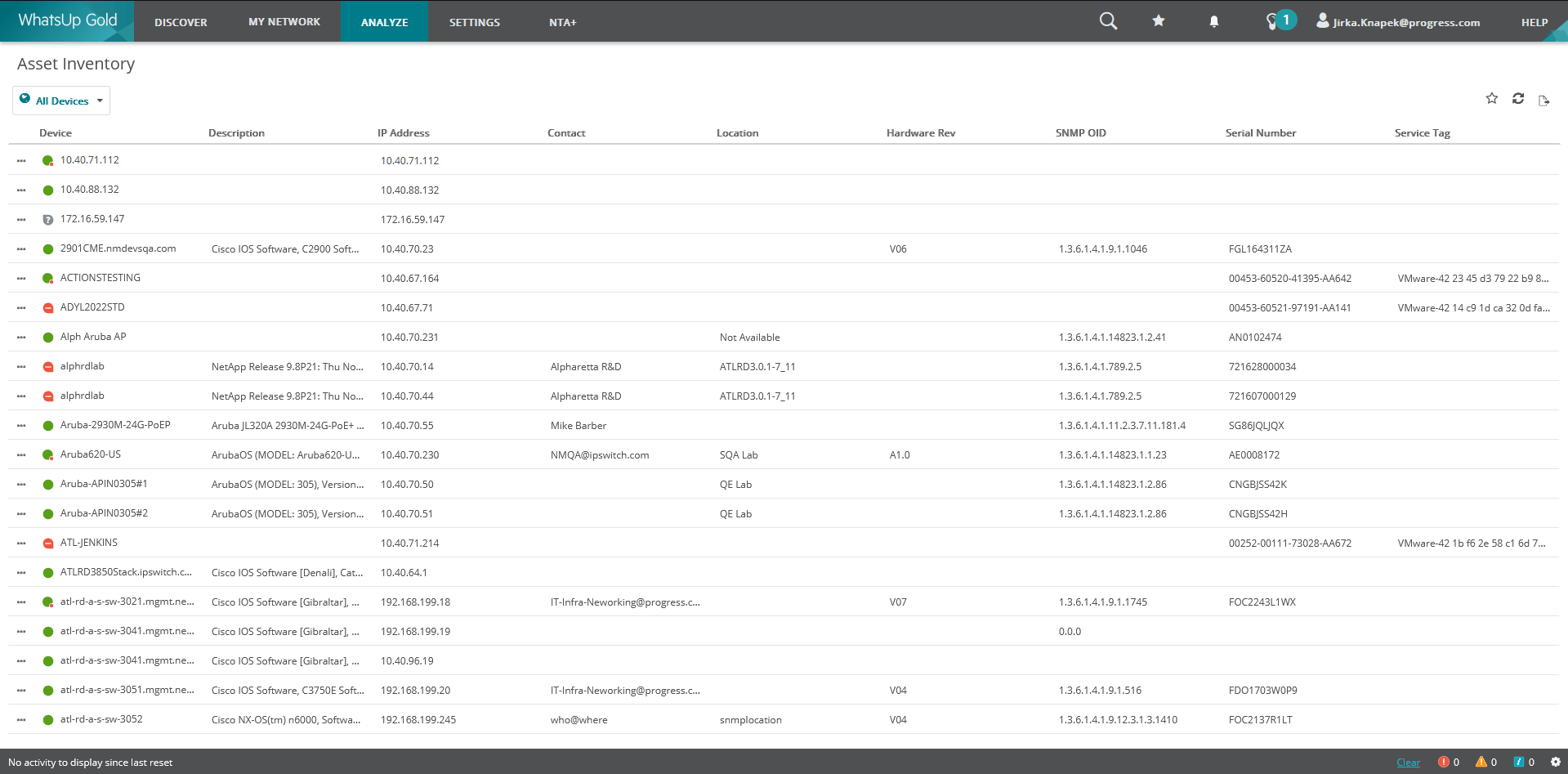 WhatsUp Gold Asset Inventory
A Practical Migration Roadmap
A good migration is structured, but it should not feel like a blind copy-and-paste exercise. The most successful projects usually move through six stages:
- Assessment and inventory
- Concept mapping
- Device discovery
- Monitoring redesign and rebuild
- Alerting migration
- Dashboard design, reporting, validation, and cutover
Phase 1: Start with an Honest Audit
Before configuring WhatsUp Gold, review the existing Nagios XI deployment carefully. This audit helps separate a clean migration from a messy rebuild by showing what is monitored today, why it exists, who relies on it, and whether it still provides value.
Infrastructure
- Hosts
- Host groups
- Service groups
- Business process dependencies
- Parent-child relationships
Monitoring Logic
- Active checks
- Passive checks
- Custom plugins
- Event handlers
- Performance data collection
Alerting
- Contacts
- Contact groups
- Notification escalations
- Scheduled downtimes
- Maintenance windows
Reporting
- Availability reports
- Executive dashboards
- SLA reporting requirements
Phase 2: Translate Concepts, Do Not Clone Configurations
One of the most common migration mistakes is trying to force a one-to-one conversion. Nagios XI and WhatsUp Gold use different operational models, so the better approach is to translate monitoring intent rather than clone configuration objects.
Use this mapping as a starting point, but do not treat it as a migration script. The real design work happens when you decide how devices should be grouped, which monitor types are appropriate, where dependencies matter, and which dashboards will be useful in daily operations.
Phase 3: Build the WhatsUp Gold Foundation Before You Rebuild Monitoring
Once the audit is complete, install WhatsUp Gold and validate the platform foundation before recreating monitoring logic. This includes confirming:
- SQL connectivity
- Credential libraries
- Polling methods
- Discovery scopes
Configure the relevant discovery credentials and access methods:
- SNMPv2/v3
- WMI
- SSH
- VMware credentials
- Cloud credentials, if applicable
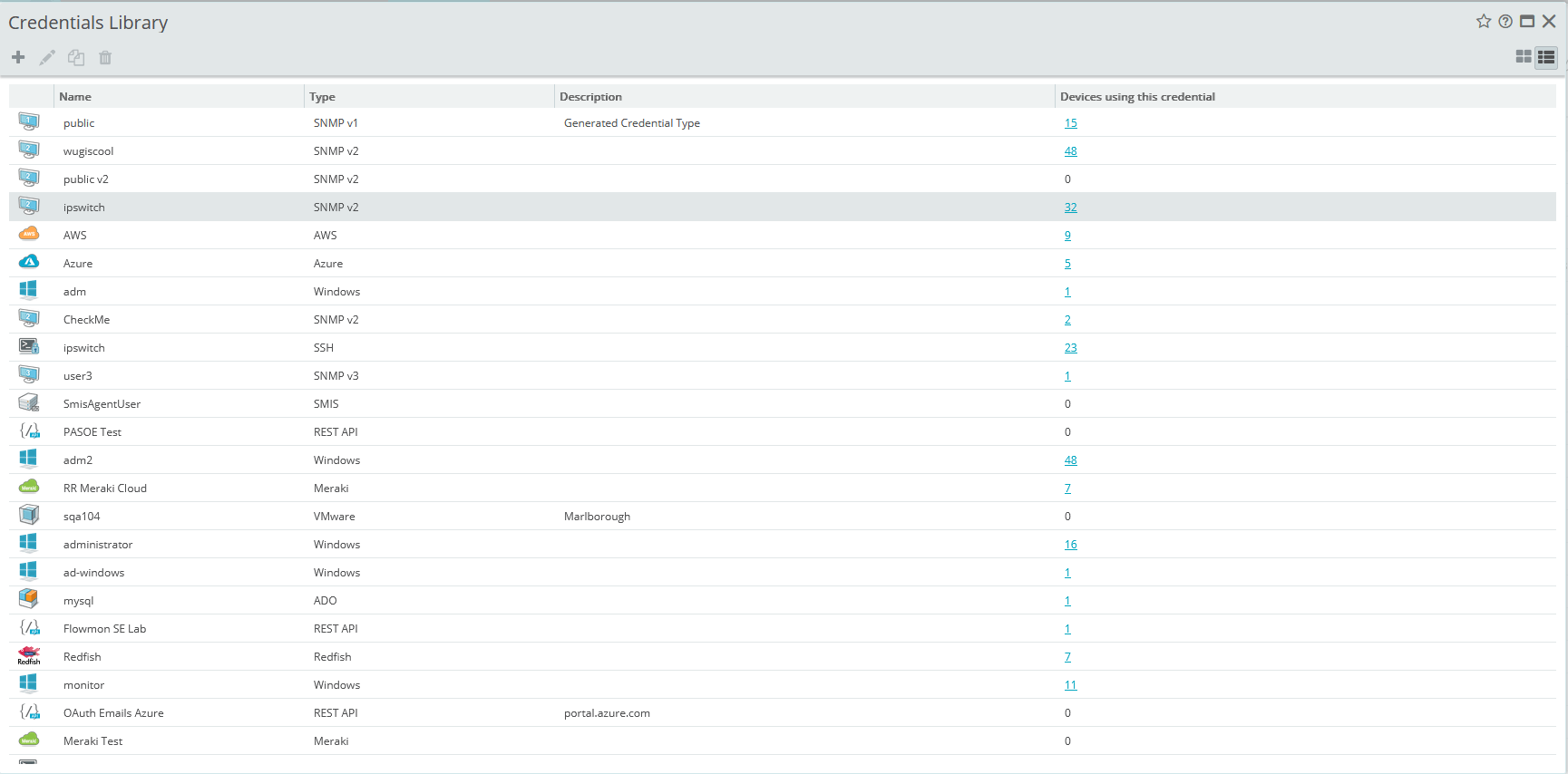 WhatsUp Gold Credentials Library
After that, run discovery using IP ranges, seed routers, or other supported discovery methods where appropriate. Discovery is not just a way to populate the system; it is also an early validation step. If discovery results look wrong, monitoring logic built on top of those results will also be wrong.
Questions to Ask After Discovery
- Are device counts reasonable?
- Are routers and switches classified correctly?
- Are servers assigned appropriate templates?
- Are interfaces being discovered?
Are credentials polling successfully?
Phase 4: Rebuild Monitoring with Purpose
This is usually the most time-consuming part of the migration, and it is also where teams can gain the most value. Start with the critical infrastructure, validate it properly, and then expand into controlled waves.
Begin with the Things Everyone Depends On
- Network: availability, CPU, memory, interface utilization, and error rates
- Servers: CPU, memory, disk usage, and service status
- Virtualization: Hypervisors and associated storage arrays
Treat Custom Plugins as Design Decisions
Custom plugins are often the hardest part of a Nagios migration. Some are business-critical, some are outdated, and some were written years ago by people who are no longer on the team. Before rebuilding equivalent monitoring in WhatsUp Gold, classify each plugin:
Phase 5: Redesign Alerting Before You Cut Over
Alerting is where many migrations either succeed or fail. Nagios environments often grow complex notification chains, escalation loops, duplicate alerts, and alert storms over time. Moving to WhatsUp Gold is a good opportunity to simplify alert behavior rather than recreating every historical rule.
A Cleaner Alerting Model
Keeping these alert types of separate makes troubleshooting easier and reduces confusion between availability events and threshold-based performance conditions.
Phase 6: Build Dashboards for Real Audiences
Dashboards should be planned, not added as an afterthought. While many Nagios environments depend heavily on status pages, migration provides an opportunity to create views tailored to how different teams work.
Executive Dashboard
- Availability
- Critical alerts
- SLA summaries
Operations Dashboard
- Active alarms
- Device status
- Performance trends
NOC Dashboard
- Full-screen rotating display
- Topology maps
- Critical service status
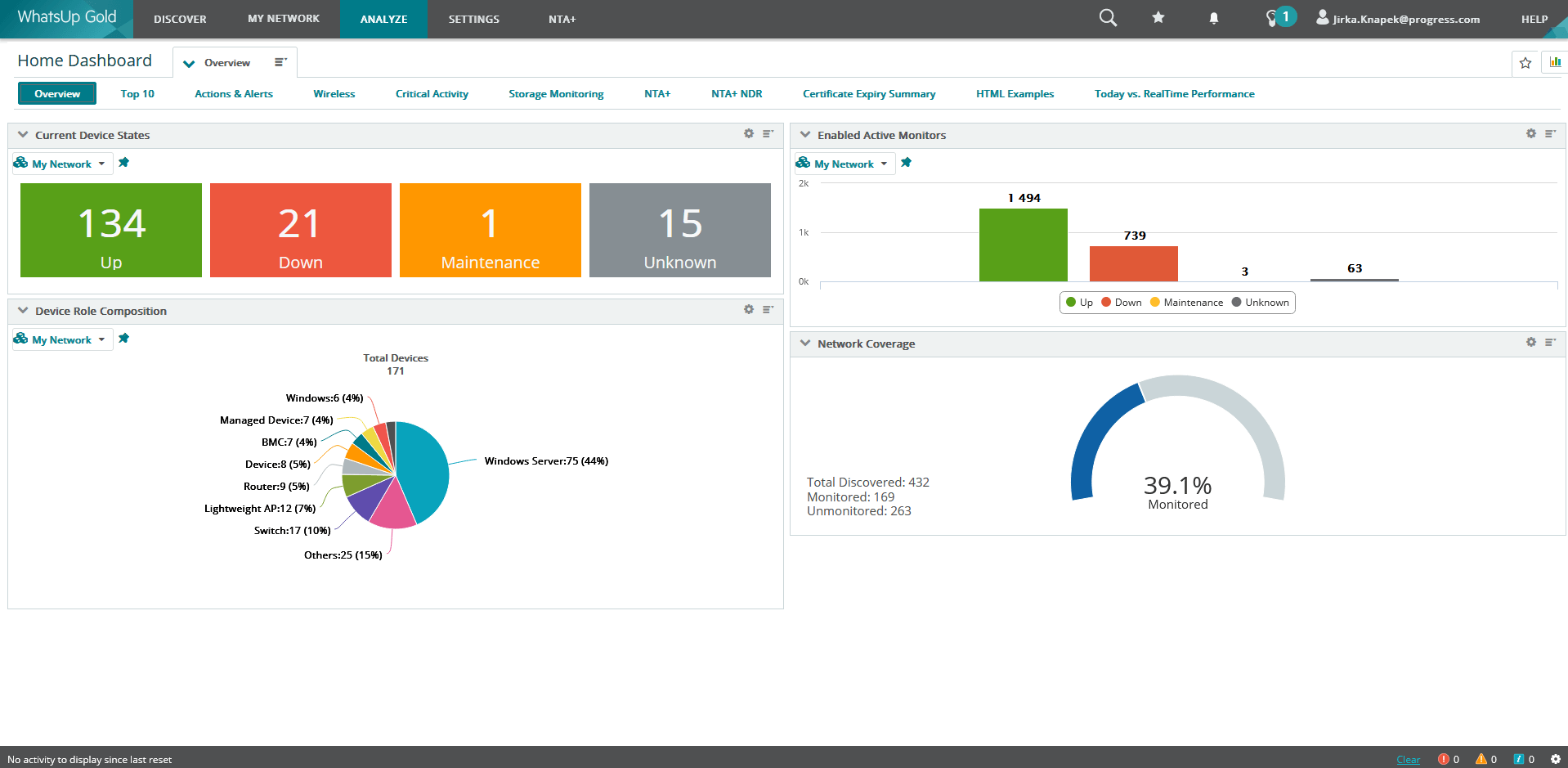 WhatsUp Gold Dashboard
Before Cutover: Validate the Basics
A migration should not be considered complete just because devices appear in the new platform. Before cutover, validate monitoring, alerting, dashboards, discovery results, and backup procedures while Nagios XI and WhatsUp Gold are running side by side.
Monitoring
☐ All critical devices monitored
☐ All critical services monitored
☐ Performance data collected
Alerting
☐ Email or ticketing notifications tested
☐ Escalation paths tested
☐ Action Policies & Notifications tested
Dashboards
☐ NOC views validated
☐ Executive reports validated
Discovery
☐ Device counts match expectations
☐ Interfaces discovered correctly
Redundancy
☐ Backup & recovery procedures documented
☐ SQL backups configured
Common Pitfalls to Avoid
1. Migrating Everything
If a check no longer supports a current service, application, or operational process, leave it behind. Migration is a valuable opportunity to remove unnecessary monitoring debt.
2. Attempting a One-to-One Conversion
A direct conversion may preserve old structures, but it usually produces a poor WhatsUp Gold design. Translate intent, then rebuild using WhatsUp Gold concepts.
3. Ignoring Custom Plugins
Some plugins support important business workflows. Identify them early, document what they do, and decide whether they should be replaced, rebuilt, or retired.
4. Overlooking Alert Rationalization
A technically successful migration can still fail operationally if it preserves noisy or confusing alert behavior. Use the project to reduce alert fatigue.
5. Skipping Parallel Validation
Run Nagios XI and WhatsUp Gold side by side during validation. Include at least one maintenance cycle, one backup cycle, and several alert scenarios before production cutover.
Speeding Up the Migration with PowerShell
To make the migration easier, I also put together a PowerShell 5.1 script that helps move Nagios XI hosts and host groups into WhatsUp Gold as devices and device groups. It is not meant to replace proper planning or validation, but it can save time when migrating larger environments and reduce the amount of manual copy-and-paste work. You can find the script here in our GitHub.
Final Thoughts: Move the Value, Not the Complexity
Migrating from Nagios XI to WhatsUp Gold should not be treated as a simple platform swap. The real value comes from using migration to modernize monitoring operations, remove accumulated complexity, simplify alerting, improve network visibility, and reduce administrative effort.
Teams that achieve the best results usually ask challenging questions before rebuilding anything: Do we still need this check? Who uses this alert? Does this dashboard help someone make a decision? Can a native monitor replace this custom logic?
When those questions drive migration, the result is not just a new monitoring tool. It is a cleaner, easier-to-operate monitoring practice with better visibility and lower operational overhead.
