
Most IT teams do not have the luxury of separating network operations and security professionals into different groups. The same teams need to investigate a slow application and examine unusual traffic patterns or security issues. The latest Progress® WhatsUp® Gold NPM and Progress WhatsUp Gold NDR releases include new functionality that directly addresses this reality.
Both WhatsUp Gold NPM and WhatsUp Gold NDR have been updated to shorten the time between discovering an issue and understanding it. Seven changes are worth highlighting.
AI-Driven Security Events Explained in Plain Language
Detection often creates a follow-on problem. The system flags something, and then someone needs to determine whether it matters. For teams without a dedicated security analyst, that step often becomes a bottleneck.
WhatsUp Gold NDR technology uses AI to generate a written summary on the Event Detail page that explains the situation in five parts:
- ✓ Executive Summary: What the event means
- ✓ Asset Overview: Who was involved
- ✓ Event Overview: What happened
- ✓ Context Correlation: What else is connected to it
- ✓ Threat Indicators: Why it may pose a risk
The information comes from a retrieval-augmented language model pipeline that combines local detection data with reputation signals and business context. The result reads like an analyst brief rather than a log entry. Someone without a security background can read it, understand the situation and decide what to do next
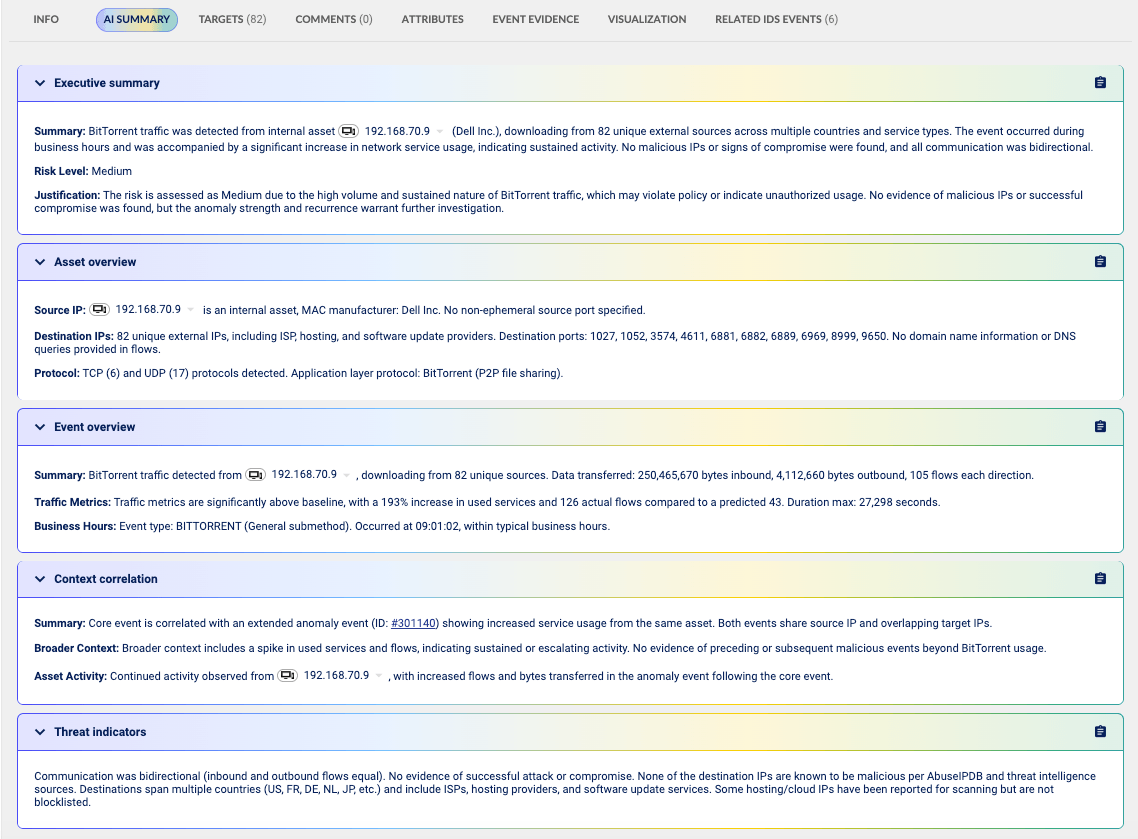
WhatsUp Gold NDR presents an AI-generated event summary with asset, event, correlation and threat context.
Tuning Suggestions That You Review and Approve
False positives erode trust in any detection system, and tuning a system to reduce them requires experience that many teams lack.
The latest WhatsUp Gold NDR update can examine your environment and propose updates to your filter configurations. It identifies IP addresses that your current filters miss and highlights gaps in your configuration. You review each suggestion, approve or decline it, and then apply the changes you accept.
You stay in control of every change. The product performs analysis that would otherwise require an experienced administrator and considerable time. Your team retains full control, supported by an intelligent agent that makes recommendations
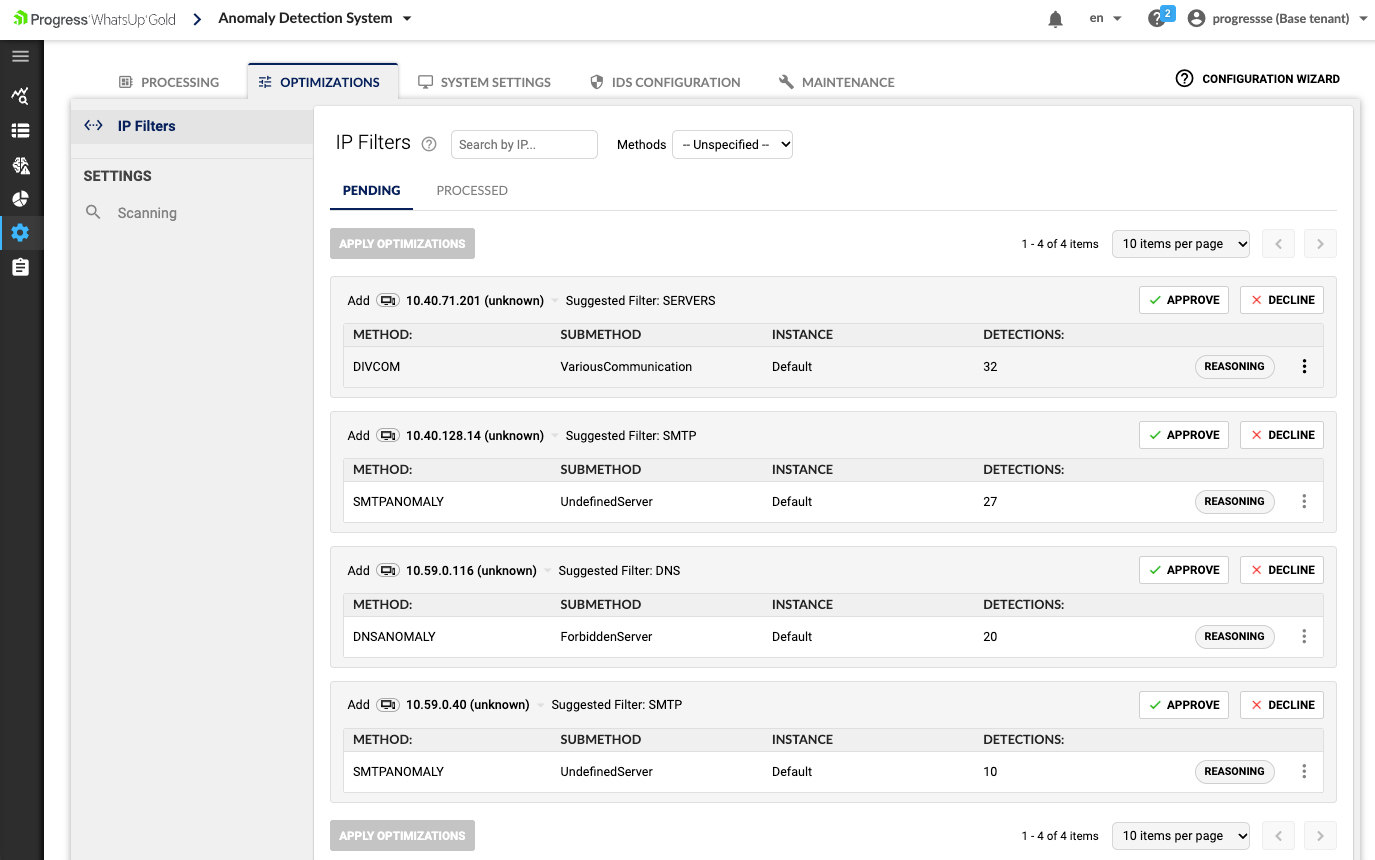
Filter optimization recommendations can be reviewed, approved or declined before they are applied.
Forensics That Begin Before You Do
When WhatsUp Gold NDR detects an event, it can immediately trigger a predefined, multi-step investigation and link the results directly from the Event Detail page.
For example, consider what happens when a DDoS detection occurs. By the time you open the event, the investigation may already have determined which ports and protocols the attack used, which IP addresses it targeted, when the first flows arrived, which autonomous system the traffic came from and which country it originated in
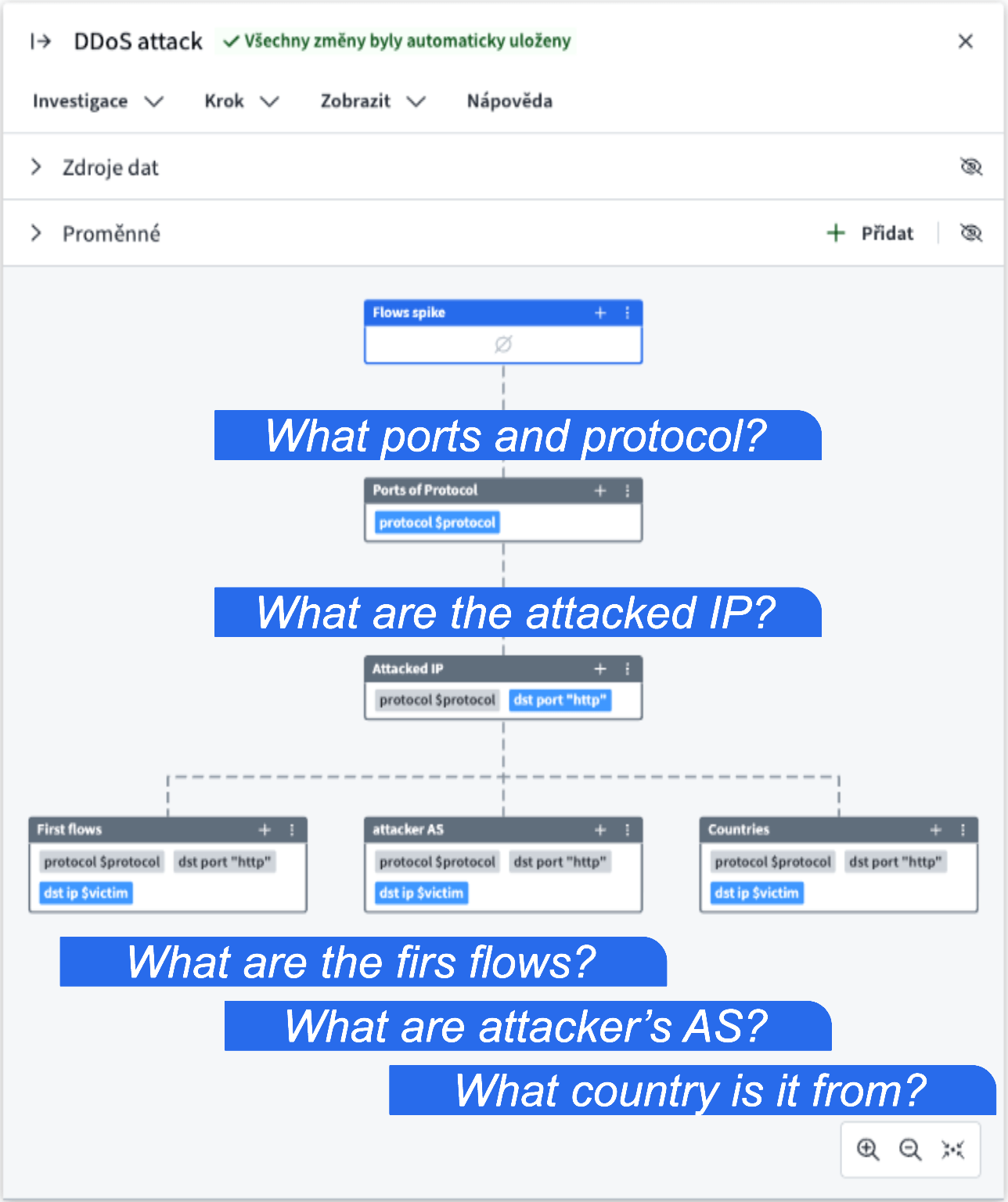
A predefined investigation collects the most relevant DDoS forensic details automatically.
You open the event and find the answers waiting. The gap between detection and understanding narrows considerably, and the questions are answered consistently regardless of who is on shift
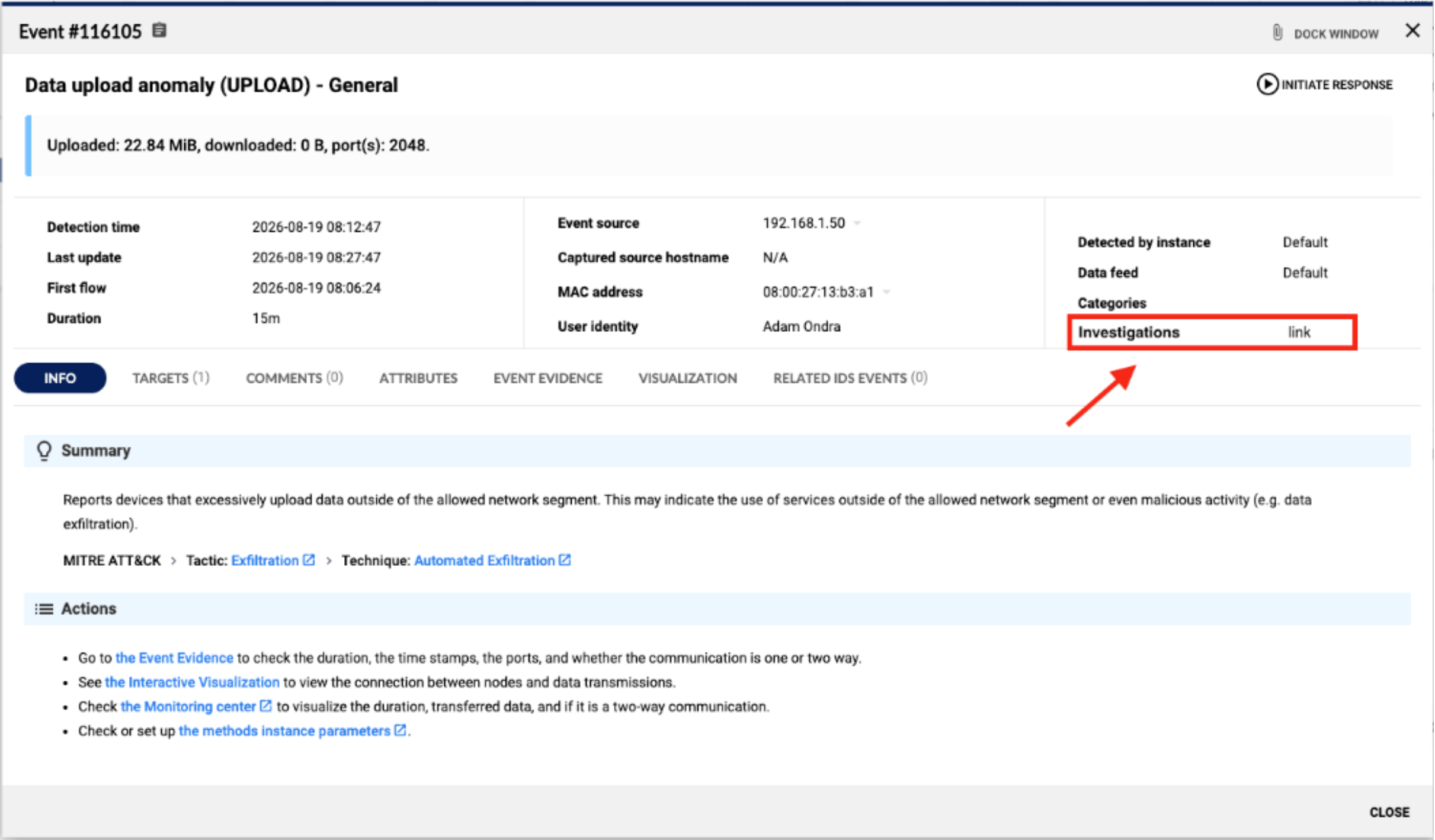
Investigation results are linked directly from the corresponding Event Detail page.
Filters That Both Teams Share
The next update spans both WhatsUp Gold NDR and WhatsUp Gold NPM capabilities. Filters that you define in WhatsUp Gold NDR technology now work in WhatsUp Gold NPM.
That may sound like a small piece of plumbing, yet it changes more than you might expect. Your network and security work can now rely on the same definitions of what matters. A named filter expression replaces a long, literal list of IP addresses, keeping the intent behind a filter readable months later. Nobody has to maintain two versions of the same logic, and nobody investigates a problem using a slightly outdated copy of someone else’s rules
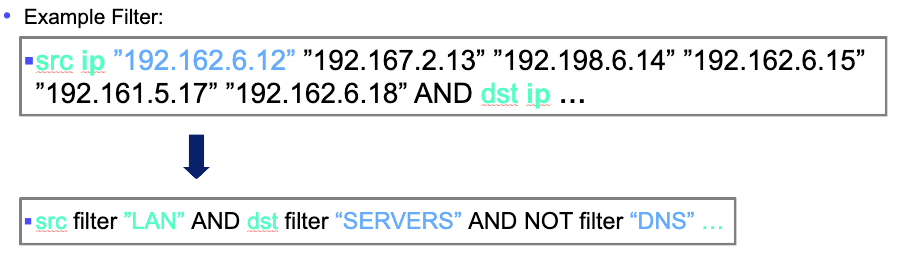
Named filters replace long IP address lists with reusable, readable expressions.
For a team in which the same people handle both jobs, that shared foundation eliminates a genuine source of friction. Where separate teams exist, it also removes barriers to communication.
Charts That Point You Toward the Problem
The visualization layer for traffic analysis has been rebuilt. There are now donut charts, bar charts, in-time charts and Sankey diagrams to work with, and you can switch between them as the question or your needs change.
The Sankey diagram is particularly useful. It maps IP conversations as flows between sources and destinations, so a single glance can show which host pairs account for the bulk of your traffic. When a link saturates and you need to know why, that view helps answer the question quickly.
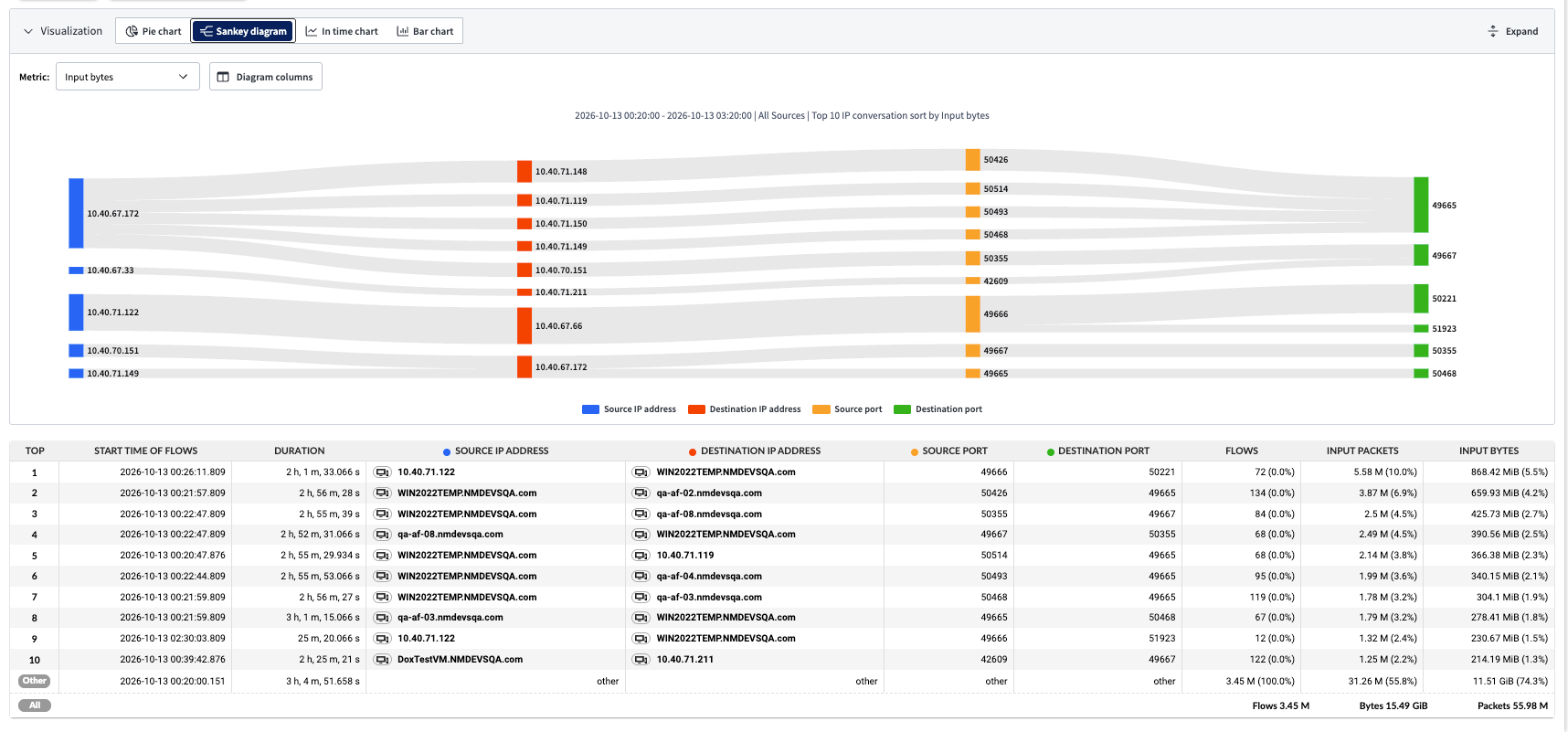
A Sankey diagram visualizes high-volume conversations between source and destination addresses and ports.
An important change is that the same visuals now appear consistently across analyses, dashboards, reports and investigations, allowing your team to learn one visual language. Charts in the updated version also load faster and respond more smoothly during interaction.
Application Names in Place of IP Addresses
Working out what a machine did from a list of IP addresses wastes time. WhatsUp Gold NPM can attach well-known, human-readable application labels to IP-related data throughout the product, so you can immediately see which sites or applications users are accessing.
Instead of seeing only that a host communicated with an address such as 52.96.n.n, you see the SaaS or cloud application associated with that address. This changes the nature of troubleshooting. A bandwidth investigation becomes a conversation about which applications users depend on, which connections are not sanctioned and which deserve a quality-of-service policy
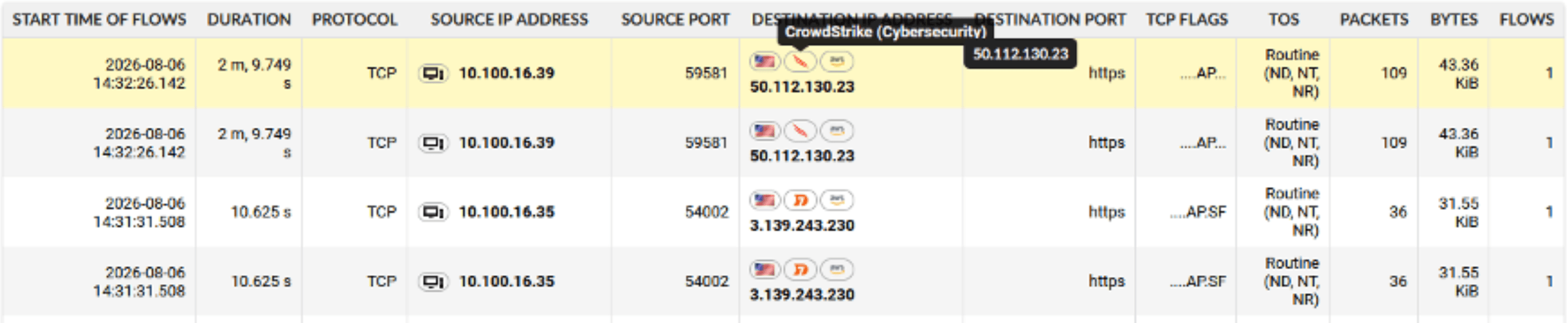
Human-readable application labels add useful context to IP-based traffic data.
Labels also serve as a filter attribute and feed alerting and reporting. You can build an alert around an application rather than an address range that may change when a provider updates its IP infrastructure.
Investigations You Build Once and Run Forever
Troubleshooting tends to follow patterns. Your team probably follows the same manual sequence of checks whenever a particular symptom or issue arises. The WhatsUp Gold NPM now lets you build a troubleshooting workflow and save it as a playbook. The next person dealing with the same issue can run that playbook instead of recreating the investigation manually
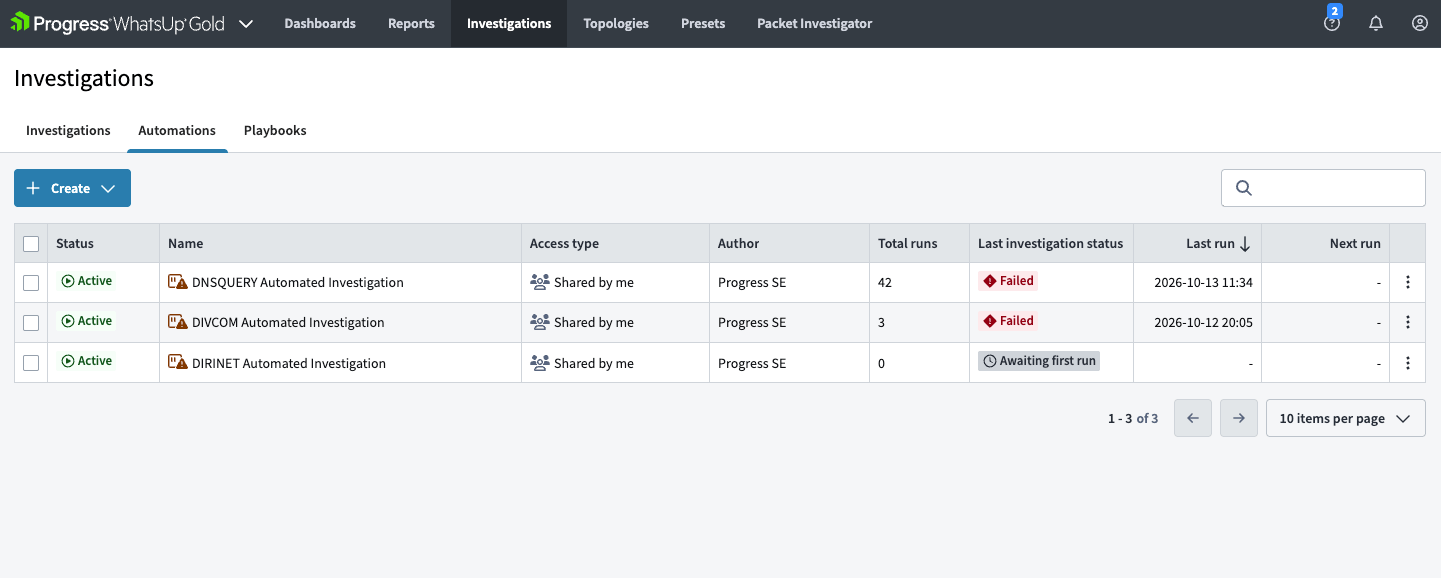
Reusable investigations and playbooks preserve repeatable troubleshooting workflows.
Three take aways:
- Consistent investigations: Your investigation become consistent because everyone follows the same steps in the same order.
- Shared expertise: The knowledge held by your most experienced engineer becomes available something the whole team can use.
- Transparent records: You retain a transparent record of what the team checked and found, which matters when someone asks how you reached a conclusion.
Find Out More
Visit the WhatsUp Gold website for full details about WhatsUp Gold NPM and WhatsUp Gold NDR. To discuss how these capabilities can apply to your network, contact us. Our team can answer your questions.

Filip Cerny
Senior Product Marketing Manager | Progress Software
Filip Černý is a Senior Product Marketing Manager at Progress, where he leads product marketing initiatives for network observability, cybersecurity and infrastructure monitoring solutions. With extensive experience in B2B technology marketing, he specializes in translating complex technical concepts into clear business value for customers, partners and industry stakeholders.
