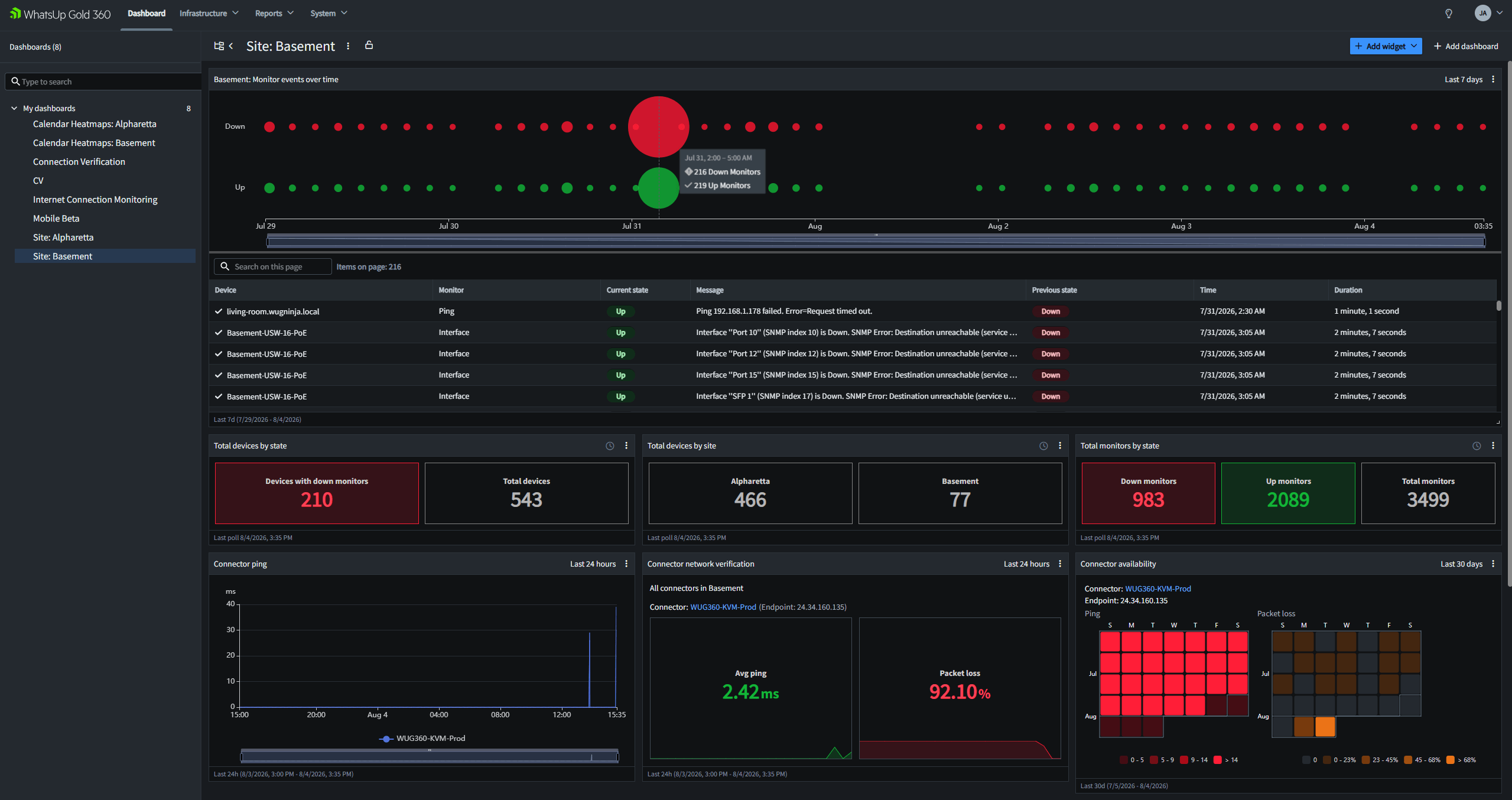
One Cloud Console for Every WhatsUp Gold Server
WhatsUp Gold 360 Centralized Visibility brings supported monitoring data from multiple on-premises WhatsUp Gold servers into one cloud-accessible view. IT teams can review devices, inventory, reports and notifications without publishing each local WhatsUp Gold interface directly to the internet.
TL;DR: WhatsUp Gold 360 uses cloud connectors to synchronize supported data from one or more on-premises WhatsUp Gold instances with a shared cloud portal. Local servers continue to perform monitoring while authorized users gain a central view of devices, status, inventory, reports and notifications. The July 2026 release also introduced Notification Management, Microsoft Teams and Slack delivery options and a Network Path Health report. |
Why Multiple WhatsUp Gold Servers Create a Visibility Gap
There are sound reasons to run more than one WhatsUp Gold instance. An organization may separate monitoring by region, business unit, security zone, production tier or operational role. Independent servers also limit how much monitoring infrastructure depends on one host and database.
The trade-off appears during routine operations. To answer a basic question such as “What needs attention across the environment?” an operator may need to open several consoles, follow different network access paths, switch credentials and compare separate reports. The monitoring data exists, but the operational picture is fragmented.
WhatsUp Gold 360 Centralized Visibility addresses that gap without combining every deployment into one unified view. It adds a shared cloud view above the local instances, preserving their independent monitoring scopes while making synchronized information easier to review.
WhatsUp Gold 360 does not replace local monitoring engines. It gives teams a shared view across them.
How WhatsUp Gold 360 Centralized Visibility Works
A tenant-specific cloud connector runs as a virtual machine inside the customer environment. The connector communicates with associated WhatsUp Gold instances over the internal network and connects to the WhatsUp Gold 360 service. Supported device and monitoring information is then synchronized with the cloud portal.
The on-premises WhatsUp Gold servers remain responsible for discovery, polling, monitoring logic and local administration. WhatsUp Gold 360 provides the central access and presentation layer. This separation gives network teams a first-stop console without turning the cloud portal into a duplicate of every local screen, configuration workflow or historical record.
Remote Access Without Publishing Local Consoles
Because users access synchronized information through WhatsUp Gold 360, each local WhatsUp Gold web interface does not need its own public network address or inbound internet publishing rule. The connector still requires the documented internal and outbound connectivity, so this is not for an air-gapped architecture, yet. Security also depends on correct connector deployment, identity controls, network rules and tenant administration.
Authorized users sign in to the cloud portal while tenant roles determine what they can access. This model is useful when an on-call engineer, IT manager or central operations team needs visibility across sites but does not require full administrative access to every local server.

Several on-premises WhatsUp Gold servers communicate with a cloud connector, which sends supported data to the WhatsUp Gold 360 portal over an outbound connection. Authorized users access the portal from a browser or mobile device. The cloud connector links independent on-premises WhatsUp Gold instances with the WhatsUp Gold 360 portal. Local monitoring servers remain the monitoring systems of record.
What Centralized Visibility Provides
Centralized Visibility is more than a directory of WhatsUp Gold servers. It gives operators a common place to review synchronized infrastructure data across connected environments.
One View of Connectors and Server Instances
The Connectors view shows the state of cloud connectors and associated WhatsUp Gold instances, including site context, monitored-device totals, assigned monitors and the latest update time. This helps an operator distinguish between an unhealthy monitored resource and a monitoring source that has stopped reporting.Cross-Environment Device Search and Filters
The Devices view brings synchronized devices into a searchable interface. Teams can filter data by attributes such as site, connector, WhatsUp Gold server, device group, role, operating system or brand. Saved views provide repeatable perspectives for a region, application team, infrastructure type or critical service.
Device and Inventory Context
Device details may include active monitor states, state duration, group membership, interfaces, roles, notes and available inventory data. Depending on the information synchronized for an asset, inventory categories can include hardware details, connectivity, installed software, IP and MAC observations, interfaces, ports and Windows services.
Shared Reports and Data Exports
Teams can create report views, apply common filters and export data from the shared portal. For a multi-server deployment, the practical gain is a common starting dataset. Operators no longer need to generate the same report separately on every local server before manually combining the results.
WhatsUp Gold 360 Notification Management
The July 2026 WhatsUp Gold 360 release added built-in Notification Management. Users can configure personal delivery channels while administrators define organizational channels, providers and schedules. Notification topics represent events such as a monitored resource becoming unavailable or a performance threshold being breached. Users can subscribe to relevant topics and apply supported filters or schedules.
This changes the value of the portal for multi-server environments. WhatsUp Gold 360 can now serve as both a shared visibility layer and a centralized notification layer for supported events. Teams can use common notification logic instead of maintaining every recipient, schedule and delivery path independently on each local server.
Email, SMS, Microsoft Teams and Slack
Notification Management supports email and SMS delivery. The July 2026 release also introduced Microsoft Teams and Slack integrations. Administrators configure those destinations through incoming webhooks so notifications can appear in the collaboration channels where operations teams already work.
Network Path Health Reporting
The July 2026 release also added a Network Path Health report. It displays a hop-by-hop view between a monitored site and its destination using cloud connector data. Operators can compare paths and use latency states to identify where delay or interruption appears along the route. This evidence can help separate a local network problem from an issue farther upstream, although it does not by itself prove root cause. You can easily see how your network path changes over time, with unique reporting details created per-path change.
Why Enterprise and Enterprise Plus Customers Benefit
Multi-server visibility maps directly to current WhatsUp Gold subscription options. Enterprise includes up to two and Enterprise Plus includes up to four. Each installation retains its own monitoring scope and database while WhatsUp Gold 360 provides a common view of synchronized information.
Edition | Included installations | Example deployment | Centralized Visibility use |
Enterprise | Up to two | Two regions, business units or operational sites | One browser-based view across two active monitoring environments |
Enterprise Plus | Up to four | Data center, recovery site, manufacturing environment and branch network | One first-stop console across four independent monitoring servers |
Installation allowances are based on the public pricing page available in August 2026. Customers should confirm licensing, entitlements and WhatsUp Gold 360 access under their agreements.
Example: Four Servers, One Morning Triage
Consider an Enterprise Plus deployment with separate WhatsUp Gold instances for a primary data center, a recovery site, manufacturing facilities and remote offices. Without a central layer, the network operations team begins the day by checking four interfaces and reconstructing the overall state.
With Centralized Visibility configured, the team can begin in WhatsUp Gold 360, verify that each source is current, filter devices by site or server and identify which environment needs deeper investigation. The operator can then open the appropriate local WhatsUp Gold workflow for configuration or detailed troubleshooting. The local instances stay independent while the team gains a common triage point.
What WhatsUp Gold 360 Does — and Does Not — Centralize
WhatsUp Gold 360 centralizes supported visibility, reporting and notification workflows. It is not a cloud-hosted replacement for every function in an on-premises WhatsUp Gold installation.
- Centralized: supported synchronized device data, device and inventory views, reports, connector and instance status, Notification Management and selected cloud-based reports
- Still local: core monitoring execution, discovery, many configuration tasks and detailed administrative workflows
- Connectivity requirement: the cloud connector needs the documented internal and outbound access; the design is not air-gapped
- Beta considerations: Some communication-channel setup workflows are labeled beta in documentation at the time of writing, August 2026
This division is useful when an organization wants central oversight without removing operational independence from regional or specialized monitoring teams. It also means teams should document which workflow belongs in the cloud portal and which requires a local console.
How to Plan a Multi-Server WhatsUp Gold 360 Deployment
- Confirm product access and licensing. Verify the applicable WhatsUp Gold edition, installation allowance and WhatsUp Gold 360 entitlement.
- Map monitoring instances to sites and owners. Define which server covers each region, business unit or network zone before synchronizing data.
- Review connector requirements. Validate supported virtualization options, internal routes, name resolution and outbound firewall rules against current documentation.
- Define tenant roles. Give owners, administrators and reviewers only the access required for their responsibilities.
- Start with a limited scope. Connect one representative environment, review data quality and test update behavior before adding the remaining servers.
- Design notification ownership. Decide which topics belong to personal or organizational channels and test email, SMS or chat delivery before using it in an on-call process.
- Retain a local fallback. Document how operators will access local monitoring and notifications if the connector or cloud path is unavailable.
Frequently Asked Questions
Does WhatsUp Gold 360 replace an on-premises WhatsUp Gold server?
No. On-premises WhatsUp Gold instances continue to perform core monitoring and many administrative tasks. WhatsUp Gold 360 synchronizes supported data into a cloud portal for centralized visibility, reporting and notification workflows.
Do I need to expose the WhatsUp Gold web interface to the internet?
The connector-based model allows users to access synchronized data through WhatsUp Gold 360 without publishing each local WhatsUp Gold interface directly to the internet. The cloud connector still needs the internal and outbound connectivity specified in the product documentation.
Can WhatsUp Gold 360 show data from multiple WhatsUp Gold servers?
Yes. Centralized Visibility is designed to synchronize supported data from multiple associated WhatsUp Gold instances into one view.
Does WhatsUp Gold 360 support Teams and Slack notifications?
Yes. The July 2026 release added Microsoft Teams and Slack as Notification Management delivery options using webhooks. Documentation as of August 2026 labels both communication channels as beta.
Is WhatsUp Gold 360 suitable for an air-gapped network?
Not under the currently documented connector model. The connector requires cloud connectivity. Organizations with isolated operational technology or regulated networks should review architecture and policy requirements with their security teams before deployment.
Keep Monitoring Local and Make Visibility Global
WhatsUp Gold 360 Centralized Visibility gives organizations a practical way to review supported data from multiple WhatsUp Gold servers without merging them into one monitoring engine. Teams gain a shared cloud console for devices, inventory, reports, connector health and supported notifications while local instances continue to monitor their assigned environments.
For Enterprise and Enterprise Plus customers using multiple installations, that means fewer console changes during triage, more consistent cross-environment reporting and a common place to configure supported notification workflows. The result is not one giant monitoring server. It is a clearer operating model for several independent ones.
Explore WhatsUp Gold 360 or watch the official Internet Connection Monitoring demo for an introduction to the portal and cloud connector model.
Sources

Jason Alberino
Explore expert insights from Jason Alberino on network monitoring, security, and IT best practices. Stay ahead with his latest posts.
